
Users, host accounts, security
nkt users
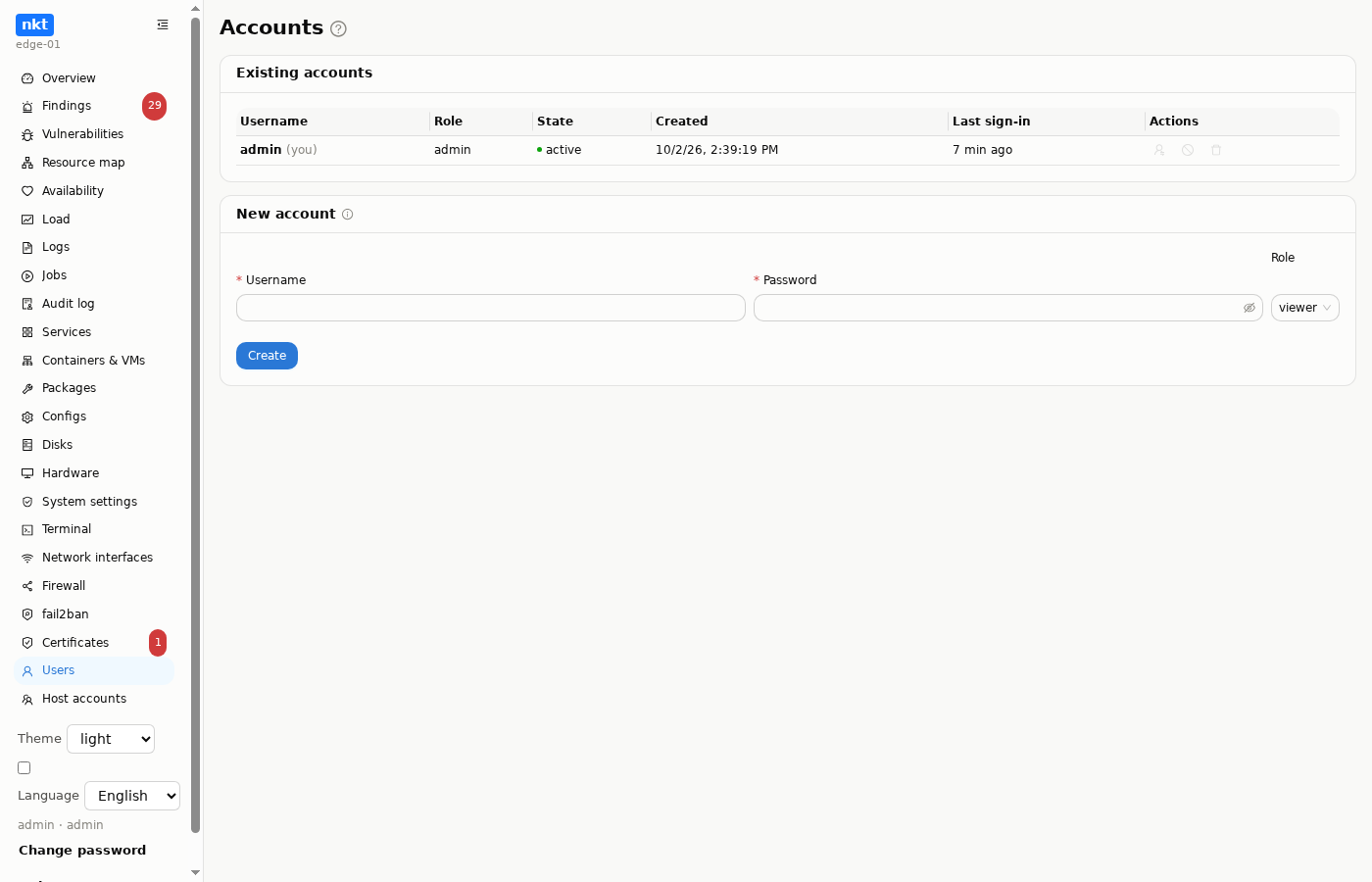
nkt's own accounts: admin and viewer (read-only) roles, creation, disabling, password change, session reset. You cannot demote or delete your own account — so access is not lost by accident. Logging in with a host system account (PAM) is possible too.
From the command line:
sudo nkt passwd                      # change the admin password
sudo nkt passwd ops -role viewer     # a read-only account
sudo nkt passwd -random              # generate a password (printed only to a terminal)
sudo nkt users                       # who exists and who logged in when
nkt passwd writes straight to the database — that is also the cure for “forgot the password”.
Host accounts
System users with shell, home, groups and sudo. The list shows keys, supplementary groups (docker in orange, sudo/wheel in red), rights and shell; the user the hub signs in as is marked "hub".
"Add user" and "Edit" open the same window:
- Shell: from
/etc/shells(ornologin). - Passwordless sudo: the nkt rule
/etc/sudoers.d/nkt-<name>(checked withvisudobefore it is written). sudo granted by a group or another rule is not affected by the checkbox. - Groups: checkboxes. Commonly needed groups come first if the host has them (
docker,sudo,wheel,adm,systemd-journal,lxd,libvirt,www-data), followed by all the others with a search box. On creation the user is added to the checked groups; on edit the list is replaced (usermod -G). - Keys: uncheck a key to remove its line from
authorized_keys(other lines stay as they were) and add new keys, one per line. A key is optional on creation.
Before saving, the window shows a "current → new" diff.
The docker group
A member of the docker group can start a container with the host's root mounted inside, which amounts to root. The window warns about this when the group is checked.
Deletion runs userdel and removes the nkt sudo rule; with the checkbox, the home directory goes too (userdel -r). root and the hub user cannot be deleted. Removing the hub user's key, sudo rule or sudo/wheel group needs a separate confirmation, because the hub may lose access to the host. The hub user is detected from NKT_TERMINAL_USER and the /etc/sudoers.d/nkt-hub rule.
Security
- Passwords — argon2id; sessions — random revocable tokens;
HttpOnly,SameSite=Laxcookies; brute-force protection. - Listens on
127.0.0.1only;NKT_COOKIE_SECURE=trueby default — the browser will not accept the cookie without HTTPS. NKT_ALLOW_MUTATIONS=false— read-only mode for the whole application.- Runs under systemd in a sandbox (
ProtectSystem=strict) with a controlled escape only for commands that need system access; sandbox diagnostics are in the UI. - Every change is in the audit log.
DANGER
Access to nkt equals root on the host. Do not expose it to the internet without a separate authentication layer.