
Hub: many hosts from one place
A regular nkt manages one host. nkt hub is the same binary in another mode: it sits on a separate machine and manages the others over SSH, showing for each the same panel a regular nkt would — with a host picker in the UI instead of a separate installation on each.
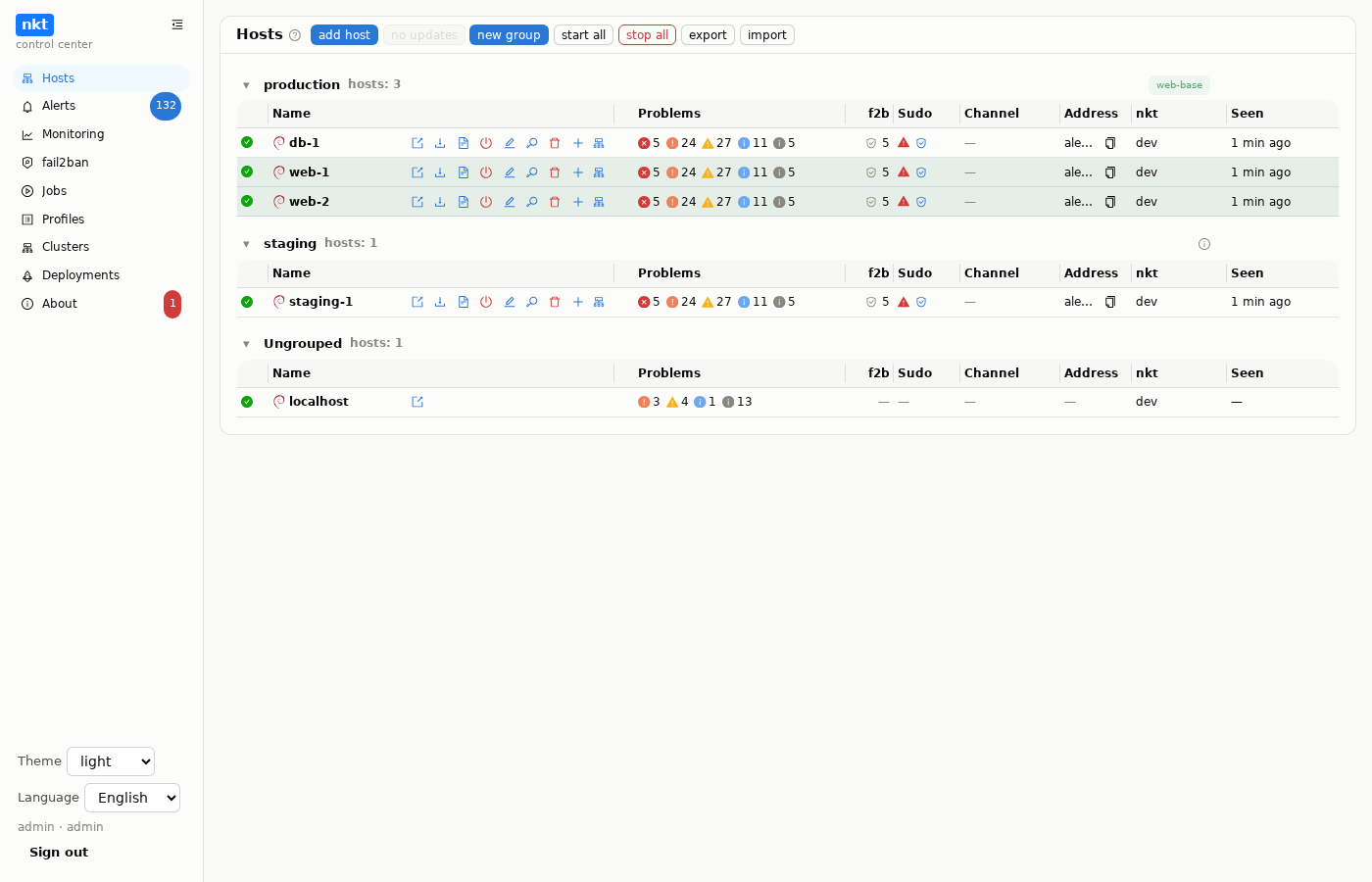
The hub installs nkt on the hosts itself (a binary for the host's architecture, the unit, nkt.env), keeps SSH connections to them and proxies requests to each one's API. The hub needs no public address, and the hosts expose nothing except SSH for the hub.
Getting started
- Install the hub — systemd, Docker Compose or Kubernetes.
- Add hosts — with a key the hub generates, or preparing a fresh server with a password.
- Open a host — from there it's the same panel as a standalone nkt.
What the hub has
Sections in the order they appear in the hub menu:
- Hosts — installing and updating nkt, availability and findings of all hosts, groups, a fallback channel for when SSH fails, machines inside hosts, export and import.
- Alerts — a host unreachable or back, rebooted, new findings, failed jobs, new bans, forecasts; each event links straight to the host's section; model analysis and privacy mode are on the same page.
- Monitoring — availability and load of all hosts from the hub history, containers, machines, pods and Kubernetes nodes, trend forecasts and hints on what to do.
- fail2ban — bans and unbans across many hosts at once, banned addresses of all hosts, jail templates for selected hosts.
- Jobs — the hub's background jobs: installs, deployments, machine and cluster creation, each with its log.
- Profiles and scripts — a host's desired state in YAML with a plan and apply, drift as findings; scripts (experimental) — a line-based deployment language with a dry run, help and a diagram.
- Clusters — Kubernetes on machines of one or several hosts, with WireGuard, Cilium, manifests and Helm into several clusters at once.
- Deployments (experimental) — applications from Git to clusters and hosts on a button, webhook, polling or a new image tag; compose stacks with sites and HTTPS, a dry run, CI/CD examples; nkt-edge — a way in from the internet for a hub behind NAT.
- About — updates of the hub and hosts, the shared vulnerability and ClamAV databases, API tokens, the menu layout, model analysis, export and the “danger zone”.
Outside the menu, around the hub:
- n8n and Telegram and Slack bots — workflows around the hub, alerts with buttons and commands from a chat; a complete example; outgoing webhooks for alerts.
- Package cache —
.debfiles, downloads and container images through the hub; hosts without internet.
The full list of features is on the features page.
Hub limitations
- SSH secrets are stored on the hub, encrypted with the master key. The hub is the single point of access to all hosts: treat it like a machine with production access.
- Management operations go through the host's own API, which applies its own rules (
NKT_ALLOW_MUTATIONS, role); the hub doesn't bypass them. - One replica: the registry is SQLite.