
fail2ban
Brute-force protection: fail2ban reads service logs and bans addresses that guess passwords. nkt gives it its own section, right below “Firewall”, plus a summary across all hosts on the hub.
Installation and setup
If fail2ban is not installed, the section has an “Install fail2ban” button: the distribution package (apt) installs as a background job in the standard log window, like ufw and firewalld. After the installation nkt runs the setup on its own (the “Set up” button runs it again at any time):
- the hub's address in
ignoreip: the filejail.d/zz-nkt-hub.localwith[DEFAULT] ignoreip, the previous list fromjail.localandjail.dplus the hub's external address (see below); - the
nkt-manualjail for manual bans: no log, no filter, all ports; bans from the UI and “Ban on all hosts” go there; - sshd via journald where sshd has no log file (Debian 12 and later log only to journald, and an sshd jail pointing at
auth.logdoes not start): the filejail.d/nkt-sshd.localwithbackend = systemd; - then a
reloadof a running fail2ban, or a start of a stopped one.
nkt writes only its own files: jail.d/nkt-*.local, jail.d/zz-nkt-hub.local, filter.d/nkt-*.conf. The package's jail.conf is never touched, because a package update overwrites it.
nkt updates its own files from earlier versions by itself, when the service starts and every half hour. The nkt-manual filter from nkt 1.11.x lacked the <HOST> group: fail2ban-client -t accepts it, but a fail2ban reload fails as a whole and leaves the server without jails, sshd included ("jail 'sshd' does not exist"). Such a filter is replaced with the current one and a running fail2ban is reloaded; the audit log records it under nkt.
State and jails
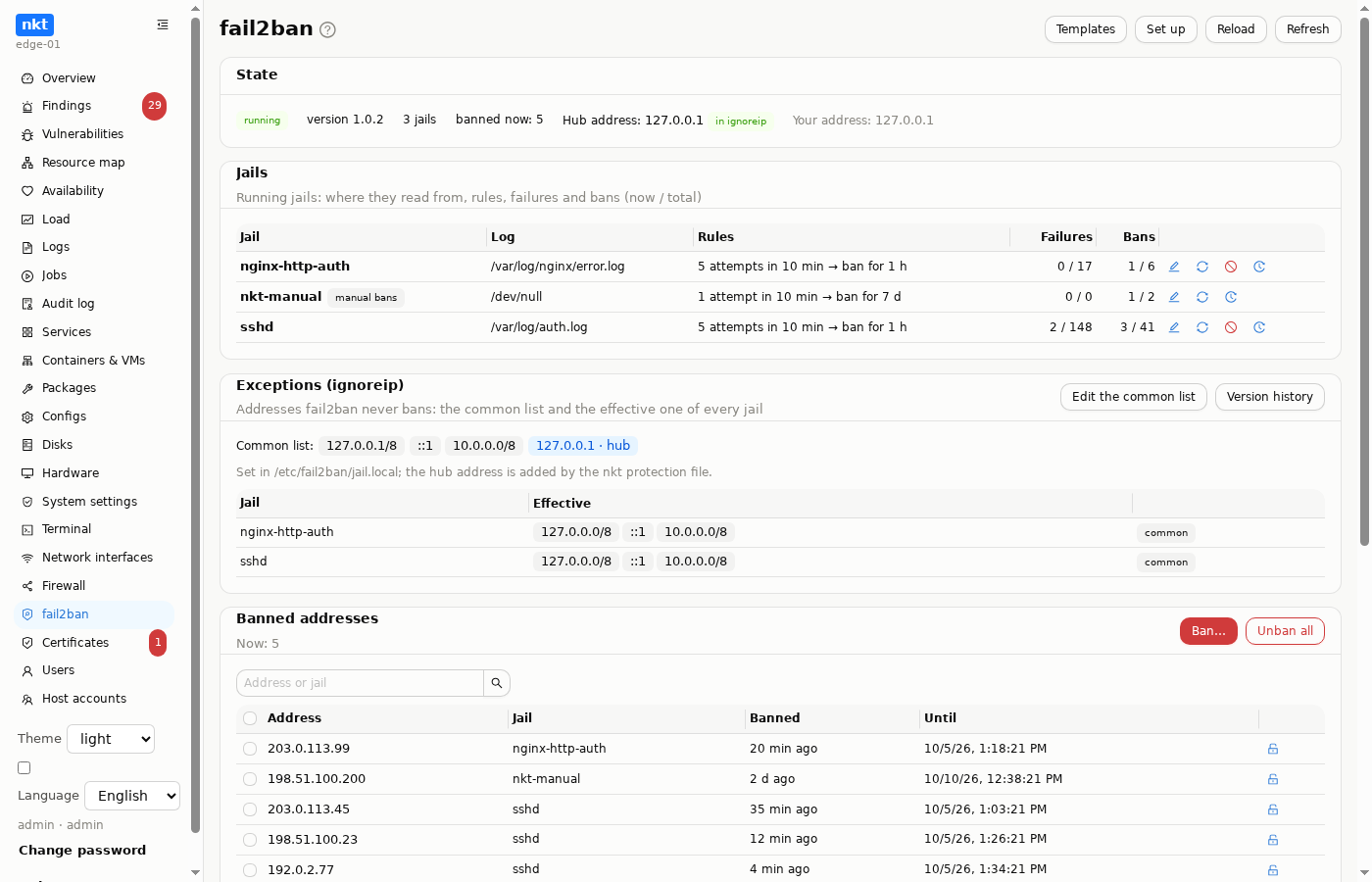
The “State” card: whether the server runs, its version, how many jails and bans there are now, the hub's address and whether it is in every jail's ignoreip, your own address.
The “Jails” table lists the running jails: where they read from (log files or journald matches; a file missing on disk is highlighted in red), the rules (“5 attempts in 10 min → ban for 1 h”), failures and bans (now / total). Row actions:
- edit: a window with a form and the text (below);
- reload the jail (
fail2ban-client reload <jail>); - disable: the same edit window with
enabled = false, so the diff shows before writing; - version history of the jail file.
Disabled nkt jails (enabled = false) are listed below the table with an “enable” link. Jails that are enabled but that fail2ban did not start (no log, no filter, the wrong backend) are shown separately, in red, with the fail2ban log lines about the reason and an “Edit” link; “enable” would not help them. If the whole fail2ban configuration fails its check (fail2ban-client -t), a warning with the error appears above the table: the server is still running with the old settings, but the next reload will fail.
Editing a jail
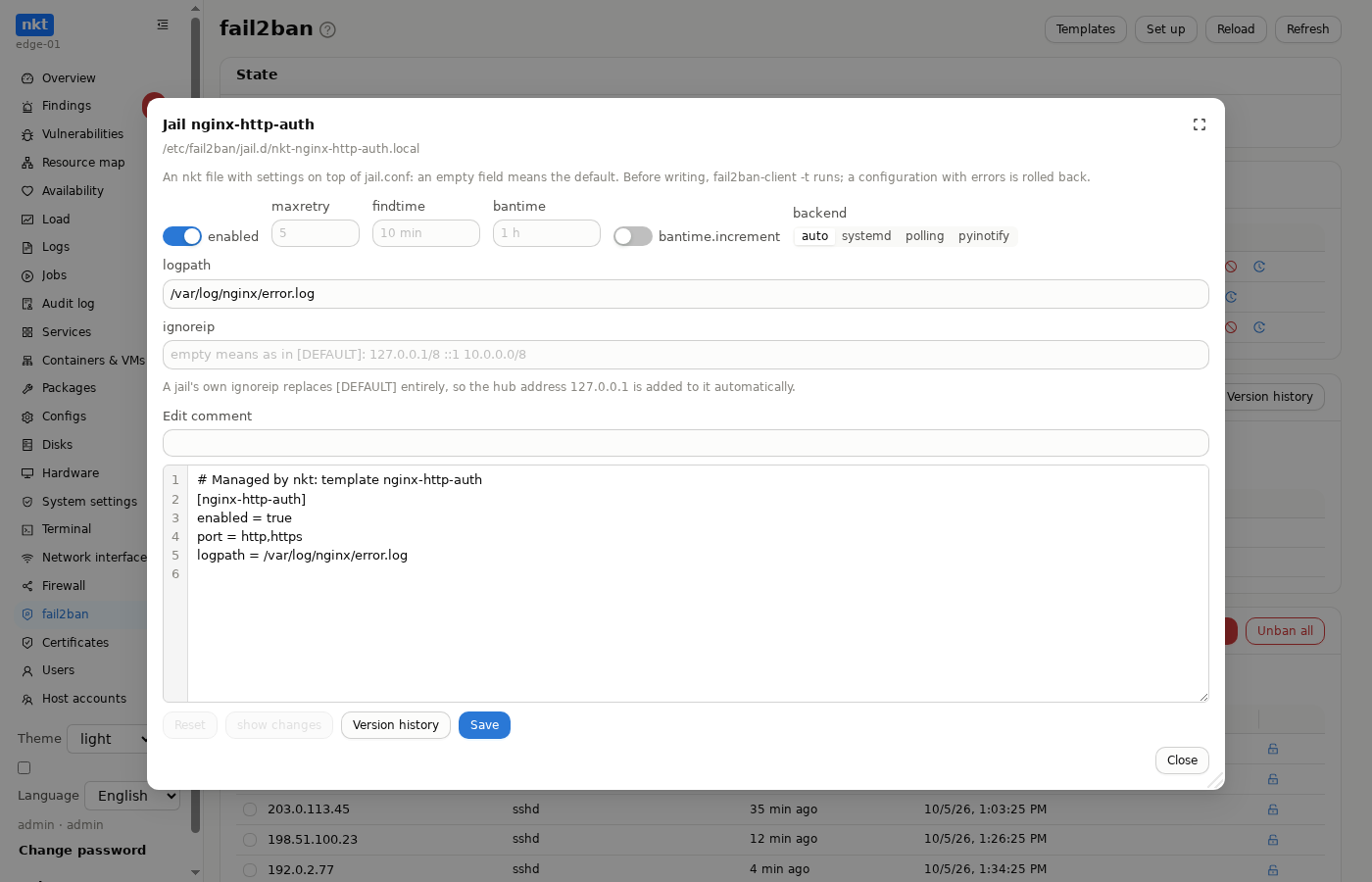
An edit goes into the nkt file jail.d/nkt-<jail>.local, settings on top of jail.conf. Above the editor is a form: enabled, maxretry, findtime, bantime, bantime.increment, backend, logpath, ignoreip; an empty field means the default (the placeholder shows the effective value). The form changes lines of the text without touching the rest, and the text can be edited by hand too.
Writing goes through the common Configs path: “Save” shows the “saved → draft” diff, then fail2ban-client -t checks the whole configuration; if it fails, the file is put back as it was. After the write comes a reload. Every write is a version in the history, with a diff and rollback.
A jail's own ignoreip replaces [DEFAULT] entirely, so the hub's address is added to it automatically as soon as the field is filled in.
Exceptions (ignoreip)
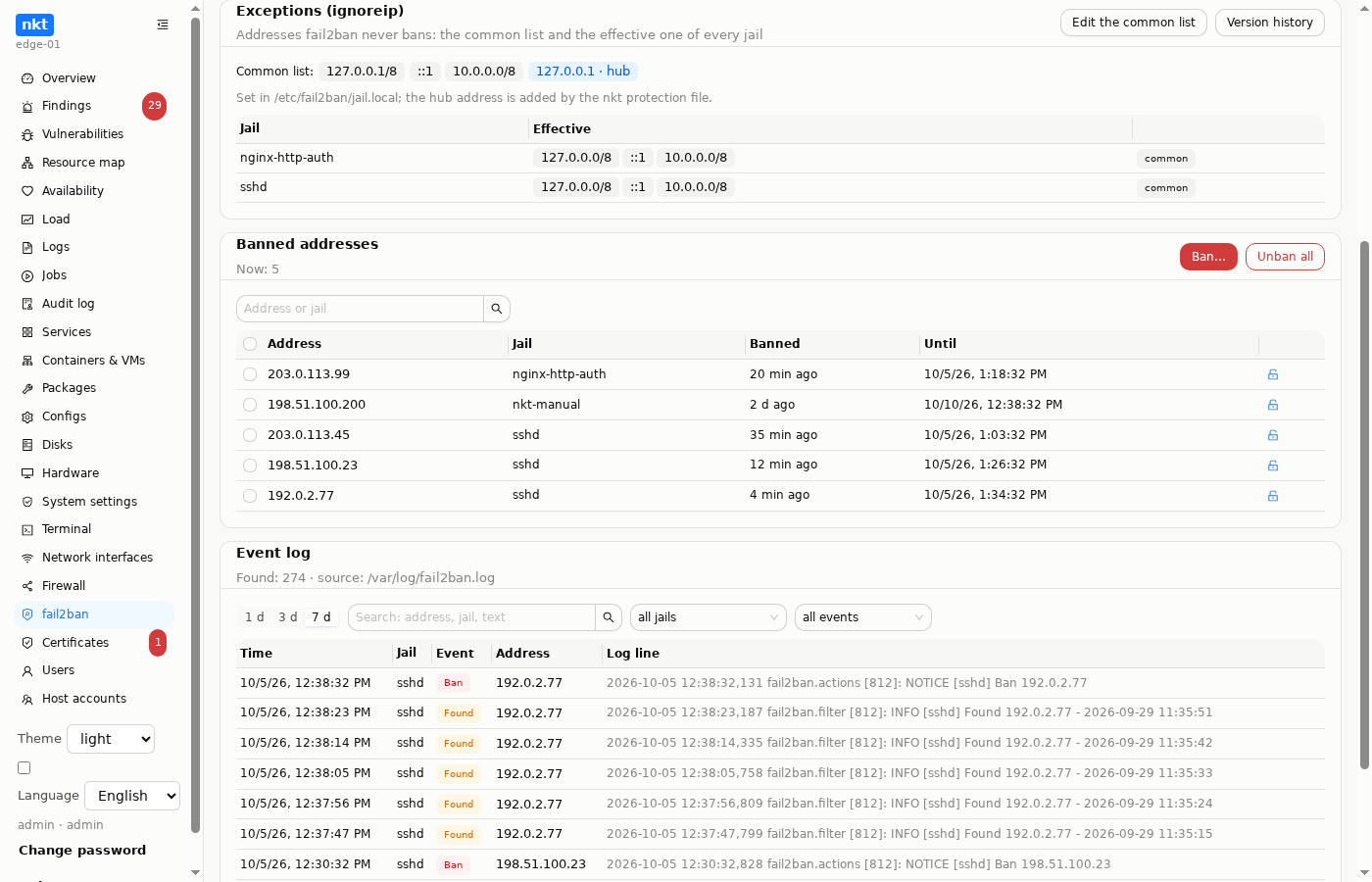
The “Exceptions (ignoreip)” card lists the addresses fail2ban never bans:
- The common list (
[DEFAULT] ignoreip) and the file it is set in. The hub's address is shown separately and pinned: the nkt protection filejail.d/zz-nkt-hub.localkeeps it on top of the common list. - The effective list of every jail, marked “common” or “own”: a jail's own
ignoreipreplaces the common list entirely and is edited in the jail window (the button next to it).
“Edit the common list” takes one address, network (CIDR) or host name per line; “add my address” adds your current one. The list is written where it is already set (usually jail.local; if nowhere, into jail.local), then the hub protection file is rebuilt. Before writing there is a diff of every file that changes and a fail2ban-client -t check; the file with the list has a version history.
Editing ignoreip outside this card, in “Configs” (writing or rolling back any fail2ban file), is picked up too: the hub protection file is rebuilt automatically.
Banned addresses
A table of all bans by jail: address, jail, when it was banned and until when (fail2ban 0.11+). Search by address and jail, unban per row or with checkboxes, “Unban all” with a confirmation.
“Ban…” is a manual ban: addresses (one per line), a jail (nkt-manual by default) and a time (an hour, a day, a week, 30 days, a year). Your own address and the hub's cannot be banned: the window warns and the server refuses.
Event log
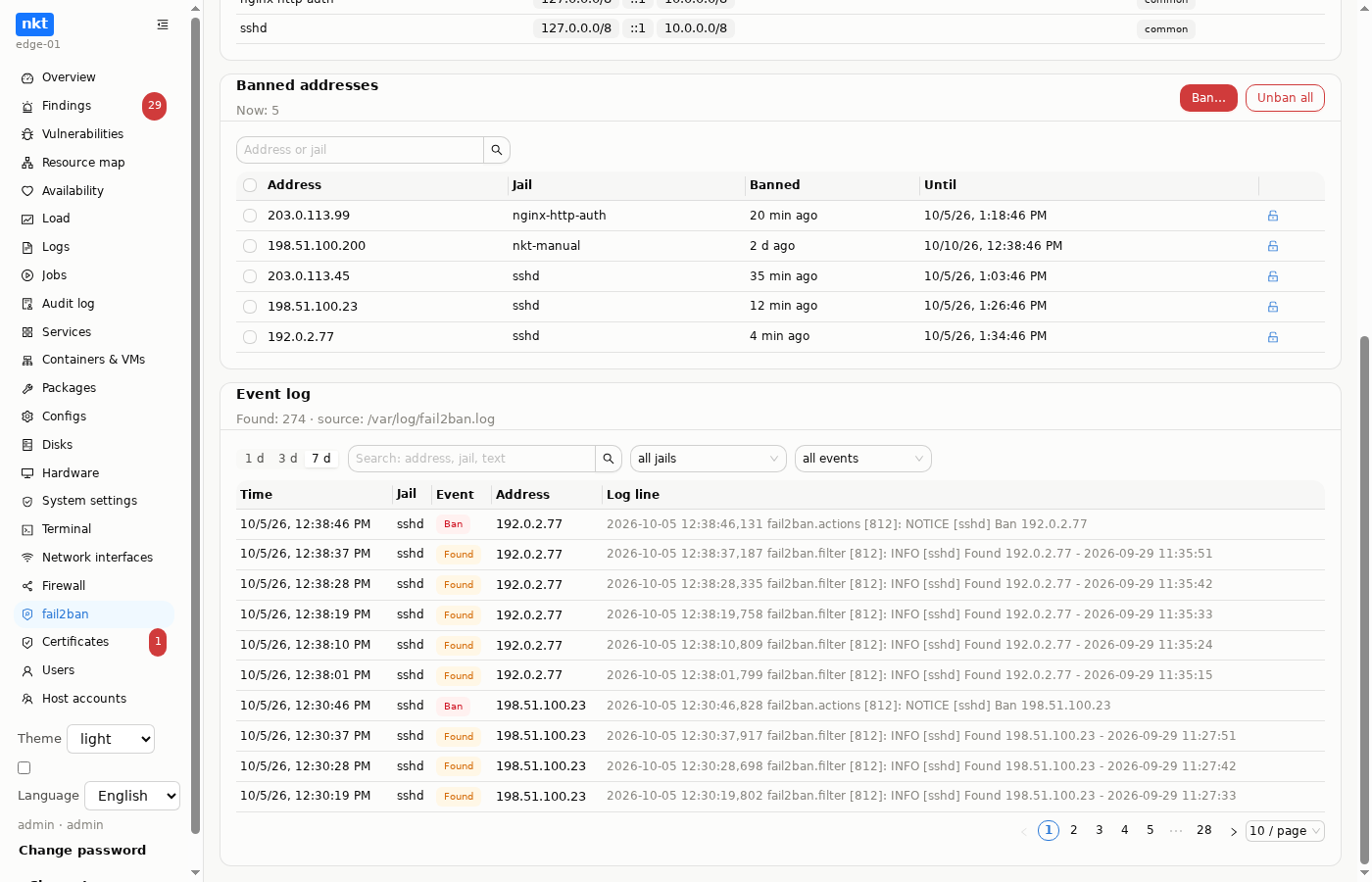
Ban / Unban / Found / Restore Ban / Increase Ban events over 1, 3 or 7 days, from /var/log/fail2ban.log and its rotations (including .gz), or from journald if fail2ban logs there. Search by address, jail and line text, filters by jail and event, newest first. nkt keeps nothing of its own here: this is fail2ban's own log.
Templates
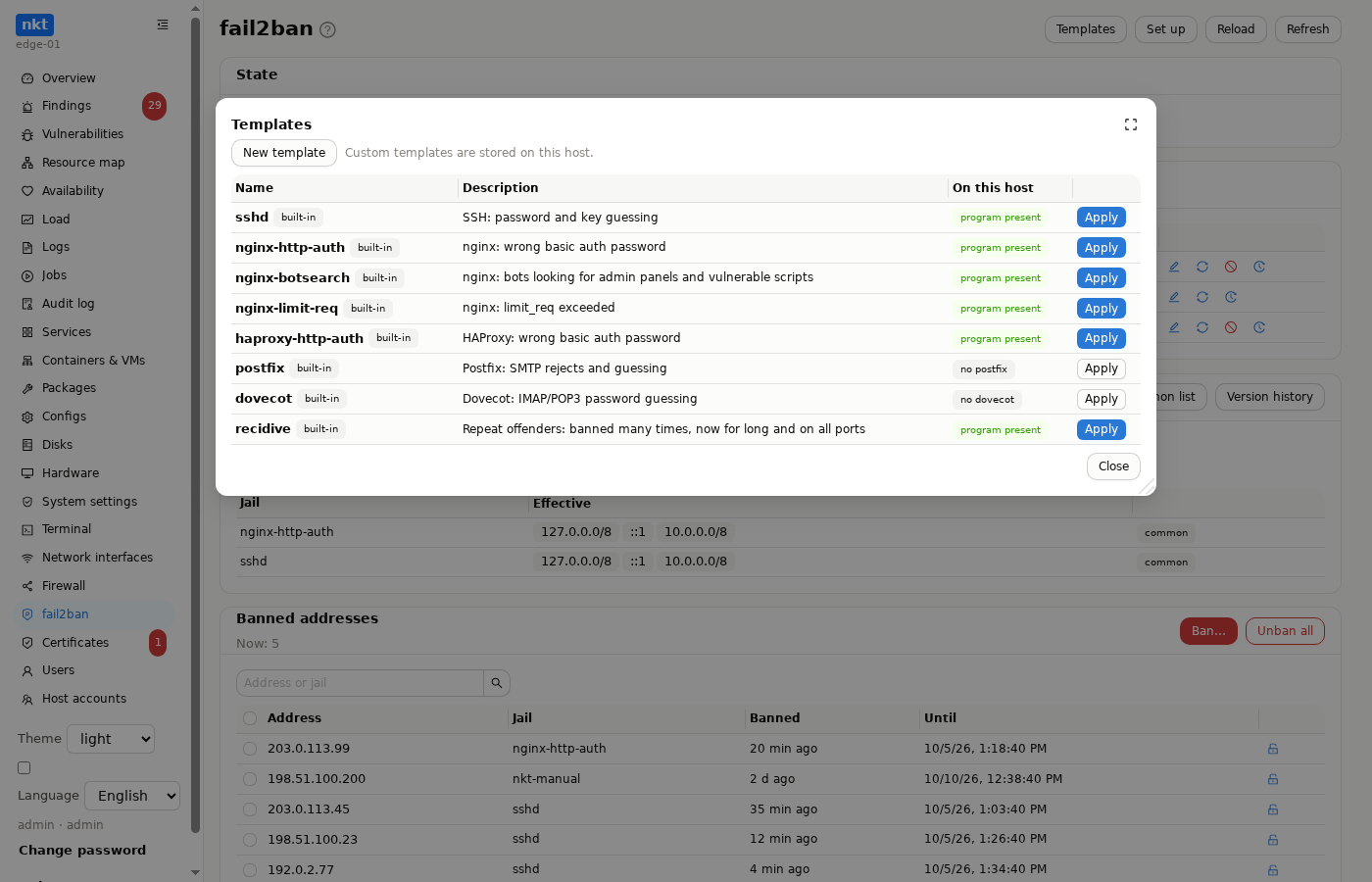
“Templates” are ready-made jails:
| Template | Purpose |
|---|---|
sshd | SSH password and key guessing (with backend = systemd if there is no log file) |
nginx-http-auth | wrong basic auth password in nginx |
nginx-botsearch | bots looking for admin panels and vulnerable scripts |
nginx-limit-req | limit_req exceeded |
haproxy-http-auth | wrong basic auth password in HAProxy |
postfix, dovecot | mail: SMTP rejects, IMAP/POP3 password guessing |
recidive | repeat offenders: banned many times, now for long and on all ports |
The “On this host” column shows whether the template's program is present; those that fit are highlighted. “Apply” opens the text (you can adjust it), then a diff of the files that will change, then the write with a fail2ban-client -t check; if the check fails, everything is put back.
Custom templates: the “New template” button takes a name, a description, the jail text and, optionally, your own filter with failregex. The filter is written to filter.d/nkt-<name>.conf, and the line filter = nkt-<name> is added to the jail automatically. “Test the filter” runs fail2ban-regex against a log of this host (a file under /var/log or systemd-journal) and shows how many lines matched. Saving goes through a diff, every template has a version history with rollback; a deletion is a version too, so a template can be restored.
Under a hub, custom templates are stored on the hub, one set for all hosts; on a standalone host they are stored on the host itself.
Lock-out protection
The hub reaches hosts over SSH, and a few failed connections in a row (a changed key, an overloaded host) are reason enough for an sshd jail to ban the hub itself. So:
- the hub learns its external address as the host sees it, from the
SSH_CONNECTIONof its SSH session, and passes it to the host: after the hub starts, every 6 hours, and within 10 minutes if the host reports having no protection (for example, fail2ban was just installed); before a template to hosts, always, as the first file; - the host keeps this address in
[DEFAULT] ignoreip(the filejail.d/zz-nkt-hub.local, read last: the common list plus the hub address) and rebuilds the file when the address or the common list changes (Exceptions); - neither the hub's address nor the address a request came from can be banned, whether from the page or by a hub job;
- the finding “The hub can ban itself” appears when some jail's
ignoreiplacks the hub's address.
Findings
- SSH is exposed and fail2ban is not installed: medium.
- fail2ban is installed but not running: high when SSH is exposed.
- fail2ban does not protect SSH: no sshd jail is running.
- A jail sees nothing: its log files are not on disk.
- The hub can ban itself: high.
- The fail2ban configuration fails its check: high; the next fail2ban reload or restart will fail.
The findings show in the host's “Findings”; high ones arrive as hub alerts.
On the hub
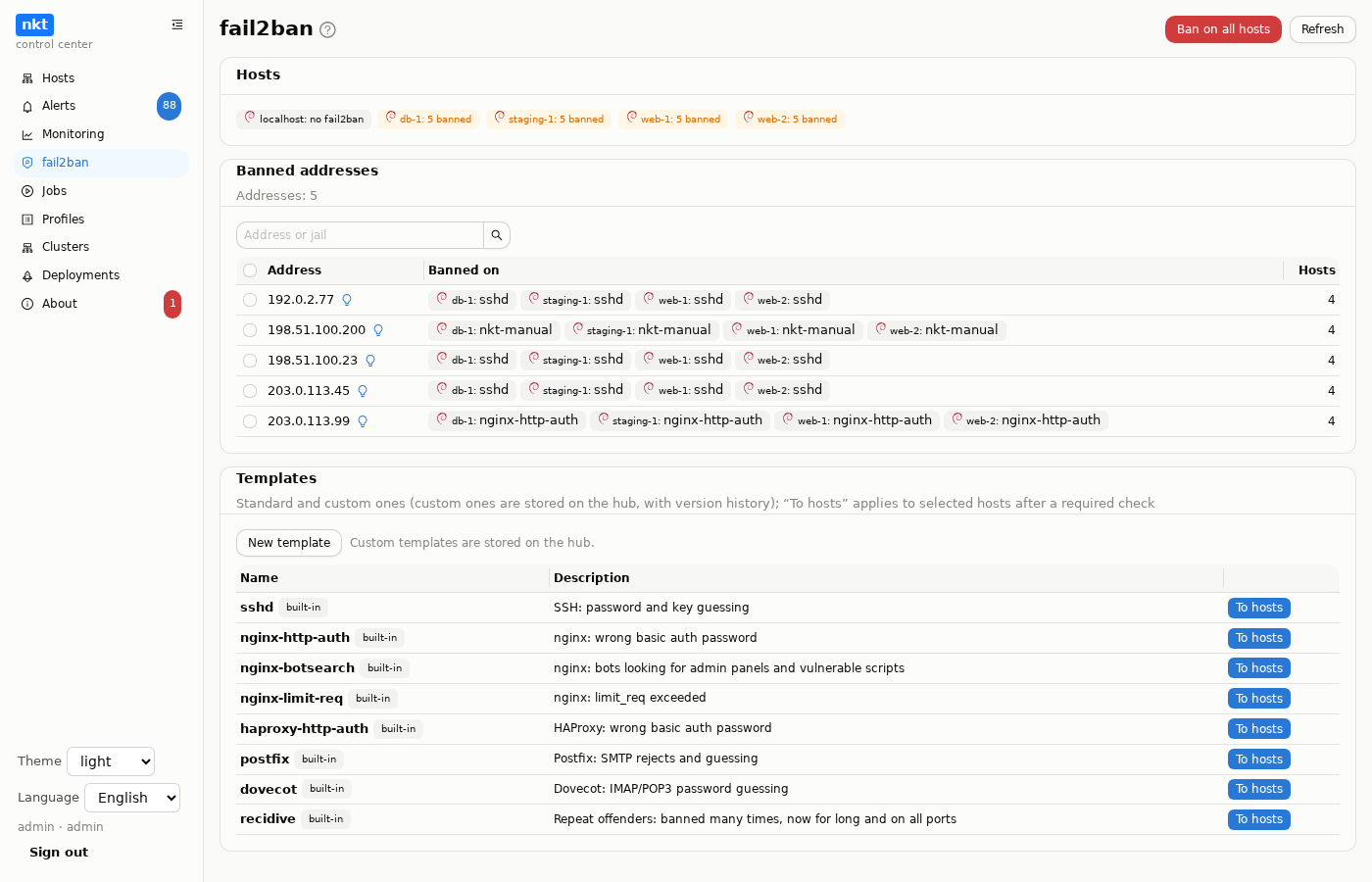
The “fail2ban” section of the hub menu:
- Hosts: where fail2ban is installed, running and how many addresses are banned.
- Banned addresses across all hosts: the address, on which hosts and in which jails; those banned on more hosts come first. With checkboxes: “Ban on all hosts” and “Unban on all hosts”.
- Templates: standard and custom ones (custom ones are stored here, with version history); each has a “To hosts” button.
Template to hosts. A window with the list of hosts: checkboxes are cleared by default, with “Select all” and “Clear all”; a host without fail2ban cannot be selected. “Check” is required first: a hub job that does a dry run on each selected host and writes nothing. The host builds a copy of its fail2ban configuration with the template files and checks it as a whole (fail2ban-client -t). For every host it shows “will change”, “no changes”, “skipped” (with the reason) or “error”; for changes, a file diff and the hub protection: “hub in ignoreip” or “hub protection will be added first”. If the host's configuration was broken before the template (for example, a jail points at a missing filter), the window says so plainly, and such a host is not included in the application.
“Apply” becomes available only after the check and applies exactly what was checked: a hub job, three hosts at a time, with the standard job log window. On each host, in order:
- The hub protection file: the hub address as this host sees it (the hub learns it over SSH right before the check) goes into
ignoreip. A host whose hub address cannot be learned (reachable only through the tunnel) does not get the template. - The template files, a configuration check and a fail2ban reload.
- A check that all previous jails and the template's jail are running; if not, the files are rolled back, fail2ban is reloaded again, and the error carries the fail2ban log lines.
- If the hub still got banned (old log entries picked up by a fresh jail), the ban is lifted right away; the job log shows this.
All hub fail2ban jobs (checks, template applications, banning and unbanning on all hosts) run in one queue, one at a time. A check is valid for 30 minutes and once; if you change the host selection, check again. A host with an old nkt (without the configuration check) is skipped with a request to update nkt.
Each host provides its own text of a standard template: for example, sshd on a host where the sshd log is only in journald gets backend = systemd. A host without the template's program (no nginx for nginx-*) is skipped. A custom template is one text from the hub for all hosts.
Ban on all hosts is a hub job with a log, one step per host: the address is banned in the nkt-manual jail for the chosen time (a week by default); the hosts are by default all that have fail2ban; a host without fail2ban or with an old nkt version is skipped with a note in the log.
- An internal address (the private networks 10/8, 172.16/12, 192.168/16, loopback, link-local, CGNAT) is banned only after a separate confirmation listing such addresses: banning one can cut off your own access, such as a proxy, a VPN, a neighbouring machine or the hub itself.
- "Undo": after a successful ban or unban, a bar with a countdown stays at the bottom of the screen for 15 seconds. Its button runs the reverse job on the same hosts: unbanning the same addresses, or banning them for a week (the previous ban time is not known). An undo cannot itself be undone.
The hub's host list has an “f2b” column: how many addresses are banned now.
Alerts and address checks
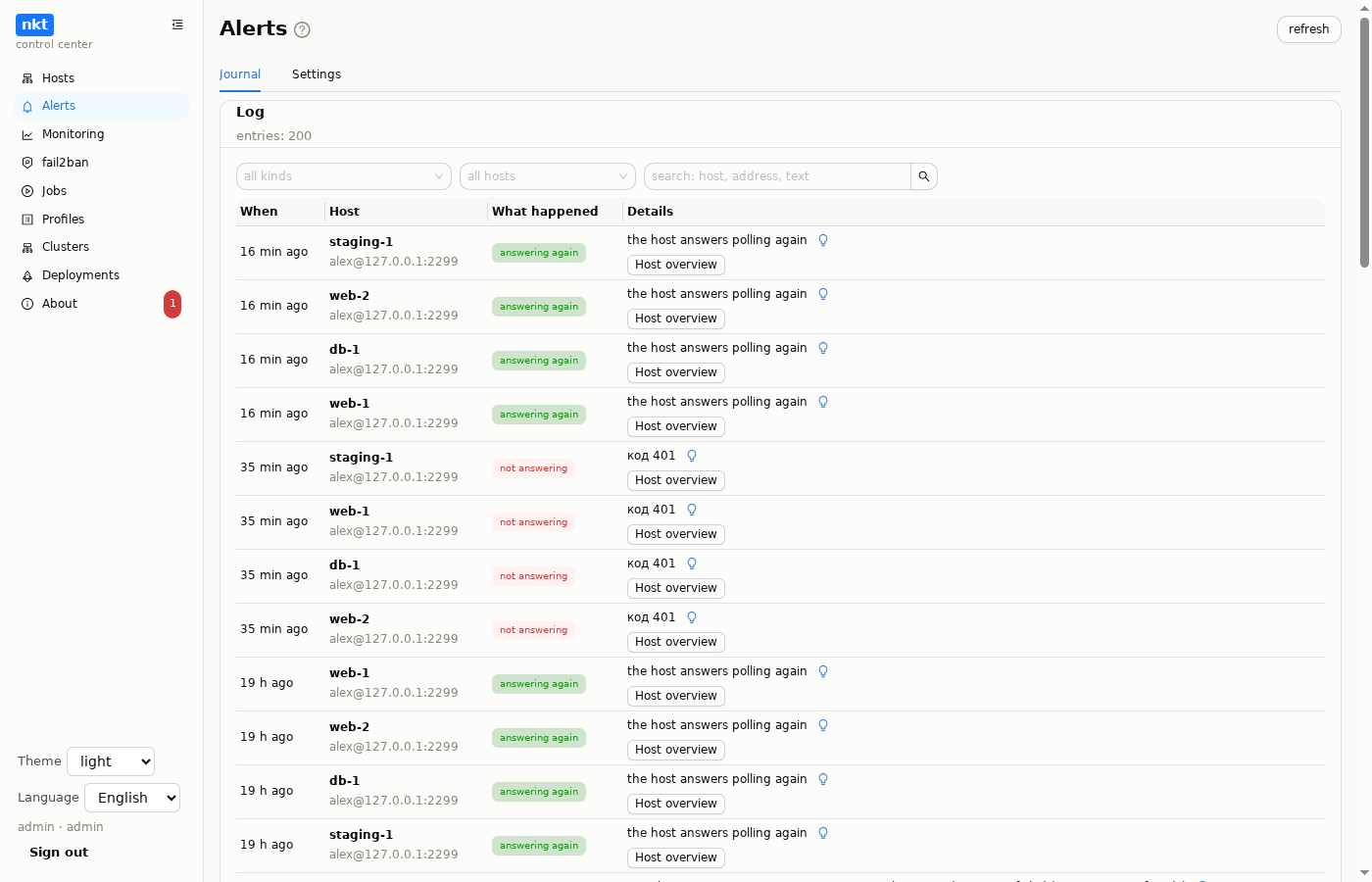
The hub polls the hosts every minute and notices new bans: an alert “fail2ban banned new addresses” with the addresses and jails (the “new bans” kind in the alert settings; recorded by default but not popped up).
Every external address in the text of any alert gets its own bulb: an AI check of the address with its own instruction (edited in “About → AI”, the “external address check” kind). The hub gathers facts about the address: its type (public or private), reverse DNS, on which hosts and in which jails it is banned now, lines from the hosts' fail2ban logs over the week, mentions in alerts. The model answers who this is, how dangerous it is and what to do. The checked address goes to the model as is, even with “hide addresses and names” on (it is someone else's, and the review makes no sense without it); the addresses and names of your hosts are still replaced.
The answer window has a “Ban on all hosts” button that starts the same hub job. The button is there even if AI is not configured or did not answer. The same bulb sits next to addresses on a host's fail2ban page and in the hub summary.