
Hub API and tokens
Everything the hub's web interface does goes through its JSON API. For automation (n8n, CI, your own scripts) there are API tokens: access without a password or a browser session, with a role, a host and group scope, an address list and an expiry.
Tokens
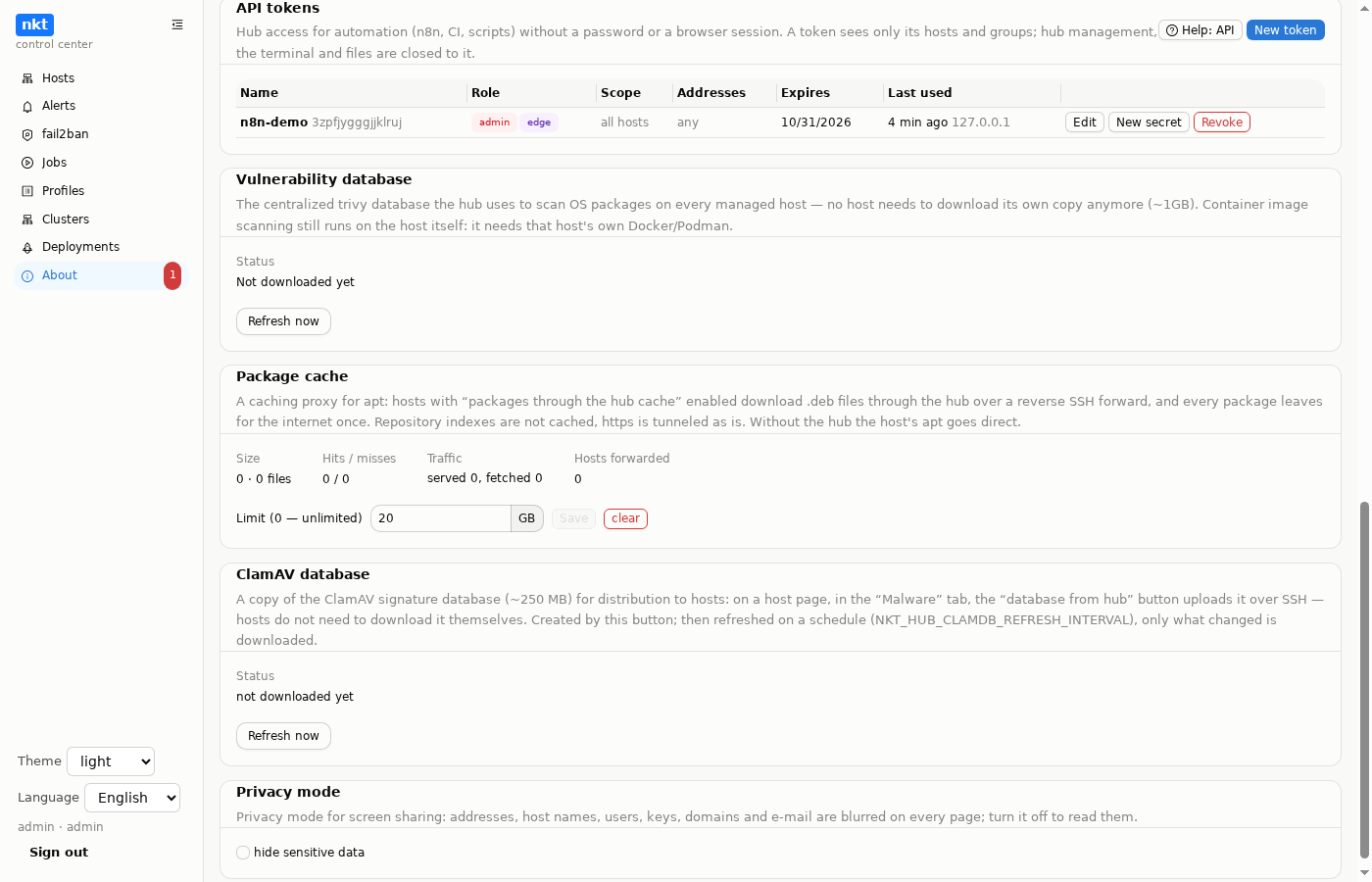
"About" → "API tokens" → "New token" (admins only):
- Role. Read: the host list, state, findings, vulnerabilities, services and containers, alerts, pipelines and job logs. Admin: also actions, such as deploying and rolling back a pipeline, dry runs, IP bans and unbans on the hosts, service and container actions, and vulnerability scans.
- Hosts and groups limit the token. Both empty means all hosts. A host is in scope if it is named itself or belongs to one of the groups (a machine belongs to its host's group). Renaming a group does not break the token.
- Addresses: the addresses or subnets the token is accepted from (empty means any). The hub trusts proxy headers (
X-Forwarded-For) only when the connection comes from loopback, that is from your own reverse proxy; a header cannot fake the address of a direct connection. - Expiry: 30, 90 or 365 days, or never.
- Through nkt-edge: the token is also accepted through an edge with the API role (see below).
The secret is shown once, right after creation. If it is lost, use "New secret": the old one stops working at once. "Revoke" deletes the token. Editing (name, role, scope, addresses, expiry) happens in a window with a "what will change" diff. Creating, editing, issuing a new secret and revoking are written to the audit log, and the token's calls are logged as token:<name>. The list shows when and from which address the token was last used.
No role gives a token: hub management (accounts, tokens themselves, export and import, hub updates, edge, AI settings, adding and deleting hosts), the terminal and console, files and backups, config contents, Kubernetes, or websockets. Such a call gets 403.
Presenting the token
Bearer is simple. The secret travels with every request, so use it inside your own network or over HTTPS:
curl -H "Authorization: Bearer nkt_<key>_<secret>" https://hub.example.com/api/hub/hostsA signed request never sends the secret; a signature lives for 5 minutes and cannot be replayed. This lets the token go through an intermediate node as well. Headers:
| Header | Value |
|---|---|
X-NKT-API-Key | the token key (16 characters) |
X-NKT-API-Timestamp | the time in unix seconds; up to 5 minutes off the hub's clock |
X-NKT-API-Nonce | a random string of 16–128 A-Za-z0-9_- characters, new for every request |
X-NKT-API-Signature | hex HMAC-SHA256 with the secret over the string below |
The signed string is six lines joined with \n:
NKT-API-1
<timestamp>
<nonce>
<METHOD>
<path?query>           e.g. /api/hub/events?after=120
<hex sha256 of body>   an empty body is the sha256 of an empty string
Bash:
KEY=abcdefghijklmnop SECRET='...'
TS=$(date +%s) NONCE=$(openssl rand -hex 16)
BODY='{"action":"ban","ips":["198.51.100.7"]}'
URI=/api/hub/fail2ban/fleet
HASH=$(printf %s "$BODY" | sha256sum | cut -d' ' -f1)
SIG=$(printf 'NKT-API-1\n%s\n%s\nPOST\n%s\n%s' "$TS" "$NONCE" "$URI" "$HASH" \
  | openssl dgst -sha256 -hmac "$SECRET" | sed 's/.* //')
curl -X POST -H 'Content-Type: application/json' \
  -H "X-NKT-API-Key: $KEY" -H "X-NKT-API-Timestamp: $TS" \
  -H "X-NKT-API-Nonce: $NONCE" -H "X-NKT-API-Signature: $SIG" \
  -d "$BODY" "https://hub.example.com$URI"
JavaScript (Node, or the Code node in n8n):
const crypto = require('crypto')
function sign(secret, method, uri, body = '') {
  const ts = String(Math.floor(Date.now() / 1000))
  const nonce = crypto.randomBytes(16).toString('hex')
  const hash = crypto.createHash('sha256').update(body).digest('hex')
  const sig = crypto.createHmac('sha256', secret)
    .update(['NKT-API-1', ts, nonce, method.toUpperCase(), uri, hash].join('\n')).digest('hex')
  return { 'X-NKT-API-Timestamp': ts, 'X-NKT-API-Nonce': nonce, 'X-NKT-API-Signature': sig }
}
A signed request body is limited to 1 MB. The signature covers the body exactly as it is sent.
From outside through nkt-edge
If the hub is behind NAT, the API can be reached from outside (n8n in the cloud, CI) through an nkt-edge with the API role: the request goes to https://api.example.com/api/… and the edge passes it to the hub through the tunnel. Conditions:
- the token has the "through nkt-edge" box ticked;
- signed requests only: the edge passes neither Bearer nor cookies, so the token secret never reaches the VPS;
- the token's address list is checked against the client address the edge passed on;
- the signed path is the one the hub sees:
/api/hub/hosts, without the edge name.
What a token can call
| Call | Role | What |
|---|---|---|
GET /api/auth/me | read | who am I: the token's name, role and scope |
GET /api/hub/hosts | read | hosts in the token's scope: status, version, findings |
GET /api/hub/events?after=N | read | alerts newer than number N (polling) |
GET /api/hub/fail2ban/banned | read | banned addresses per host |
GET /api/hub/sites | read | sites |
GET /api/hub/pipelines, /{id}, /{id}/deployments | read | pipelines and deployment history |
GET /api/hub/jobs/{id}, /{id}/log?after=N | read | a hub job and its log |
GET /api/hosts/{id}/<section> | read | overview, findings, vulnerabilities, services, containers, certificates, monitor, jobs, fail2ban, firewall, updates and other host sections |
POST /api/hub/pipelines/{id}/deploy | admin | deploy ({"ref":"","tag":""}) → job_id |
POST /api/hub/pipelines/{id}/rollback | admin | roll back to a deployment |
POST /api/hub/pipelines/dryrun | admin | dry run ({"pipeline_id":1,"skip":[]}) → job_id |
POST /api/hub/fail2ban/fleet | admin | ban or unban ({"action":"ban","ips":[…],"host_ids":[…]}) |
POST /api/hosts/{id}/vulnerabilities/scan | admin | vulnerability scan |
POST/PUT/DELETE /api/hosts/{id}/<section>/… | admin | host actions: services, containers, package updates and so on, except what is closed above and file uploads (image archives, machine images, file browser files, backups — they have routes of their own, closed to tokens) |
POST /api/hosts/{id}/images/archives/fetch | admin | download an image archive to the host by URL and load it into Docker or Podman → job_id (see below) |
The hub machine is /api/hosts/local/…; in a token's scope its number is -1. A scoped token sees only its hosts, their alerts and sites; only compose pipelines whose hosts are all in its scope; and it can dry-run only a saved pipeline. A scoped token sees only the hub jobs it started itself.
Deployments and dry runs are jobs: the response is job_id, the outcome is in GET /api/hub/jobs/{id} (status: queued, running, succeeded, failed), and the log is in /log?after=<last line number>.
Uploading Docker and Podman images
An image built on your machine goes to hosts one of two ways.
From your computer — signed in as an administrator (file uploads are closed to tokens). The archive goes to the host through the hub over an SSH connection of its own; up to 10 GB, the transfer through the hub may take up to 6 hours. load=1 — as soon as the whole file is in, the host starts docker load (or podman load) itself as a job:
HUB=https://hub.example.com HOST=3          # host number: GET /api/hub/hosts; the hub's machine — local
curl -s -c jar -H 'Content-Type: application/json' \
  -d '{"username":"admin","password":"…"}' $HUB/api/auth/login
docker save app:1.2 | gzip > app.tar.gz
curl -s -b jar -T app.tar.gz \
  "$HUB/api/hosts/$HOST/images/archives/upload?name=docker__app-1.2.tar.gz&load=1"
# {"name":"docker__app-1.2.tar.gz","size":…,"job_id":42}
# &remove=1 — delete the archive from the host after a successful docker load
curl -s -b jar $HUB/api/hosts/$HOST/jobs/42     # status: queued, running, succeeded, failed
curl -s -b jar "$HUB/api/hosts/$HOST/jobs/42/log?after=0"
The archive name is docker__<name> or podman__<name> (which engine to load into) with a .tar, .tar.gz, .tgz, .tar.xz or .tar.zst extension; an archive with the same name is replaced. Without load=1 the archive only lands in the host's "Image archives". For several hosts — the same curl -T in a loop over their numbers.
By URL — with a token. The host downloads the archive itself (your HTTP server, a CI artifact store, S3 with a signed URL) and loads it into the engine; the URL must be reachable from the host:
curl -s -H "Authorization: Bearer nkt_<key>_<secret>" -H 'Content-Type: application/json' \
  -d '{"engine":"docker","url":"https://files.example.com/app-1.2.tar.gz","checksum":"<sha256, optional>","load":true}' \
  $HUB/api/hosts/3/images/archives/fetch
# {"job_id":43} — progress and result: GET /api/hosts/3/jobs/43
"remove": true deletes the archive after a successful load; name is optional, otherwise taken from the URL; checksum is the archive's sha256 — a wrong sum fails the job and leaves no archive behind. The token needs the administrator role, and the host must be within its limits.
Error responses
| Code | When |
|---|---|
| 401 | wrong token or signature, a stale or reused signature, an expired token |
| 403 | address not allowed, call closed to tokens, a read-only role for an action, host out of scope |
| 413 | a signed request body over 1 MB |
| 429 | too many invalid tokens from the address; wait a few minutes |
The response body is {"error": "…"} in the Accept-Language language.
Outgoing webhooks
The other direction: the hub sends events out by itself, to n8n, a chat bot or your own system. "Alerts" → "Settings" → "Outgoing webhooks" → "New recipient": a name, a URL (http:// or https://), which events, hosts and groups, and the text language. The hub reaches out by itself, so nothing needs to be exposed.
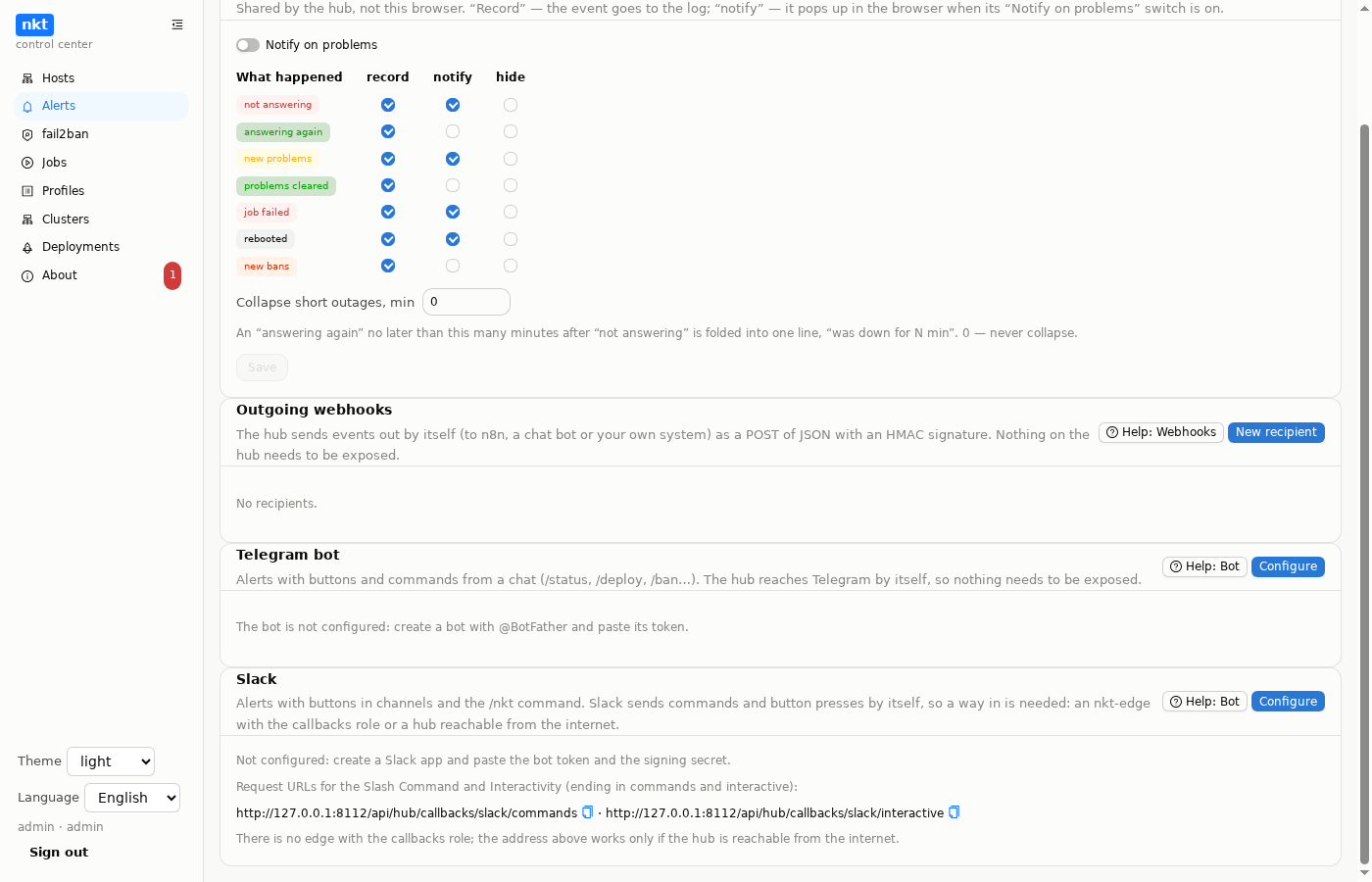
Events: unreachable, recovered, new findings, findings resolved, job failed, rebooted, new bans, deployment succeeded, deployment failed. Webhooks do not depend on the journal: a kind the journal does not record still reaches the recipient. A host and group scope limits it to its hosts' events; a deployment passes if all its hosts are in scope.
The request: POST, Content-Type: application/json, headers:
| Header | Value |
|---|---|
X-NKT-Event | the event kind (unreachable, deploy-failed, test…) |
X-NKT-Delivery | the delivery number (a retry of a delivery keeps it) |
X-NKT-Timestamp | the time in unix seconds |
X-NKT-Signature | hex HMAC-SHA256 with the secret over <timestamp>.<body> |
The signature is the same as on nkt's incoming webhooks. The body:
{
  "id": "4f1c…", "kind": "unreachable", "ts": "2026-10-01T12:00:00Z",
  "hub": "nkt 1.11.72", "text": "unreachable: …", "severity": "warning",
  "event_id": 120,
  "host": {"id": 3, "name": "web1", "addr": "root@203.0.113.10:22"}
}
A deployment has pipeline (id, name), job_id, commit, tag, trigger and, on failure, error instead of host.
Delivery happens in the background. A non-2xx response or no connection is retried after 10 s, 1 and 5 minutes. Redirects are not followed. The recipient shows the outcome of the last delivery; "Test" sends a test event at once and shows the response. The signing secret is shown once; "New secret" replaces it at once. Edits happen in a window with a diff, and everything goes to the audit log.
Checking it in n8n (Webhook node → Code):
const crypto = require('crypto')
const ts = $json.headers['x-nkt-timestamp']
const sig = crypto.createHmac('sha256', '<secret>')
  .update(ts + '.' + JSON.stringify($json.body)).digest('hex')
if (sig !== $json.headers['x-nkt-signature']) throw new Error('bad signature')
The hub sends the body without escaping <, > or &, so JSON.stringify of the parsed body gives the same bytes. The raw body is the most reliable (the n8n Webhook node's "Raw Body" option).