
Bots: alerts and commands from a chat
Telegram
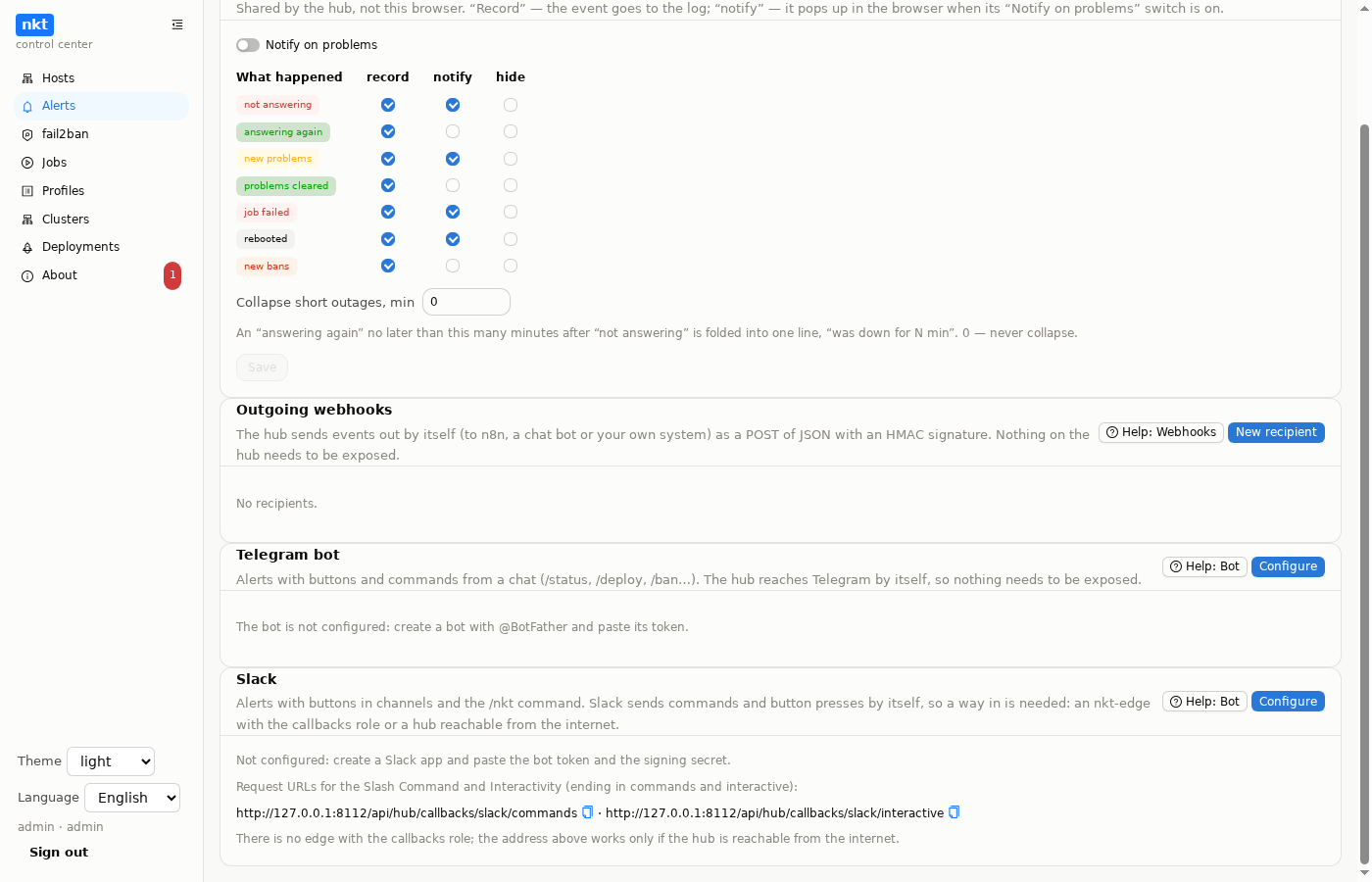
The Telegram bot sends hub alerts with buttons and takes commands from a chat. The hub reaches Telegram by itself: it sends messages and picks up commands and button presses by long polling (getUpdates). So the bot needs neither an edge nor an open port, and it works with a hub behind NAT.
Setup
- With @BotFather, use
/newbotand get the token (123456789:AA…). - "Alerts" → "Settings" → "Telegram bot" → "Configure": paste the token; the hub checks it with Telegram and shows the bot name.
- Send the bot
/startin the chat you need (add the bot to a group first): it answers with the chat number. Add the chat in the settings:- role: read gets state and view buttons; admin also gets deploys, dry runs, bans and unbans;
- alerts: whether this chat receives events.
- Who may act: the Telegram user ids of people (the bot tells you yours on
/id). Empty means any member of a chat with the admin role; for groups, set the list. - Alerts: which events to send (nothing ticked means all), and the text language.
Edits happen in a window with a "what will change" diff, and everything goes to the audit log. A chat's "Test message" checks that the bot can write there.
Commands
| Command | What | Chat role |
|---|---|---|
/status | how many hosts are up, findings by severity | read |
/hosts | hosts: up or not, findings | read |
/alerts | the latest alerts | read |
/pipelines | pipelines and the last deployment outcome | read |
/deploy <pipeline> | deploy, after the "Deploy" button | admin |
/dryrun <pipeline> | a dry run with the checks chosen on the pipeline | admin |
/ban <IP>, /unban <IP> | ban and unban on every host with fail2ban, after the button | admin |
/id | the chat number and yours | any |
A pipeline is given by name or number. The bot sends the outcome of the job it started by itself (the status and the last log lines).
What messages look like
An event is a block: a bold header (icon, host, what happened, time) and the text; new findings come as a list of up to three, then "…and N more":
⚠️ cz281 — new findings · 13:05
Serious findings: 25 (was 11)
• Deployment carcheck/…-carcheck-server: 0 of 1 replicas available
• Deployment carcheck/…-ledger-admin: 0 of 1 replicas available
• Pod carcheck/…-tz4fc: ImagePullBackOff
…and 11 more- Time is "13:05" today, "yesterday 22:40", or "Sep 30 08:15" earlier, in the time zone from the bot settings; by default, the hub machine's (the setup window shows which zone that is; a hub in Docker is usually in UTC).
/alertsshows the last five; identical events on different hosts within two minutes (for example, nodes of one cluster) form one block, "crem1, cg221 — new findings". Below the list are the hosts' "⚠️ Findings" buttons. Alerts the bot sends by itself are not merged; they arrive at once./hostsand/statusgo by state, worst first: 🔴 unreachable or an error (with its text), 🟠 critical or high findings, 🟡 only medium ones, 🟢 no serious findings, ⚪ no data (new, installing, not polled yet).
Buttons in alerts
- a host alert has "Overview" (state, version, findings); a new findings alert also has "Findings" (the ten most important);
- a deployment has "Log" (the last lines); a failed one also has "Retry" (with confirmation, admin role).
Security
- The bot answers other chats only with their number on
/startand/id. - Actions happen only in chats with the admin role, from people on the list (if one is set) and only after the confirmation button; a confirmation lives 10 minutes and works only for whoever ran the command.
- Actions run as
telegram:<name>and go to the audit log. - The bot token is stored encrypted with the hub key and is never shown in error logs.
Slack
The Slack bot does the same: alerts with buttons in channels and the /nkt command (/nkt status, /nkt hosts, /nkt alerts, /nkt pipelines, /nkt deploy <pipeline>, /nkt dryrun <pipeline>, /nkt ban|unban <IP>, /nkt id). Permissions, confirmations and the audit log work as in Telegram.
The difference is the way in. Slack sends commands and button presses by itself, as requests to the app's address. A hub behind NAT needs an nkt-edge with the callbacks role: it accepts only POST /callbacks/slack/… and passes them to the hub. A hub reachable from the internet accepts them itself at /api/hub/callbacks/slack/…. The hub checks each request with the Slack signature (X-Slack-Signature, v0, the app's signing secret) and its time (no older than 5 minutes); without a valid signature the answer is 401. The hub sends alerts to Slack by itself (chat.postMessage), so they need no way in.
Setup
- api.slack.com/apps → Create New App:
- OAuth & Permissions → Bot Token Scopes:
chat:write,commands; - Slash Commands →
/nkt, Request URLhttps://<edge>/callbacks/slack/commands; - Interactivity & Shortcuts → On, Request URL
https://<edge>/callbacks/slack/interactive; - Install to Workspace; invite the bot to channels (
/invite @bot).
- OAuth & Permissions → Bot Token Scopes:
- "Alerts" → "Settings" → "Slack" → "Configure": the Bot User OAuth Token (
xoxb-…, which the hub checks with Slack) and the Signing Secret (Basic Information). The card shows ready Request URLs: through an edge with the callbacks role if there is one, otherwise the hub's own address. - Channels: the id (
C0123ABCD;/nkt idtells you), the role, alerts. Who may act: Slack user ids (U0123ABCD); empty means anyone in a channel with the admin role.
The bot answers other channels only with their id. A channel's "Test message" checks that the bot can write there.
The whole picture
The bot together with n8n, the edge and a check from CI: example: automation around the hub.