
Hub assistant
Turned on in “About”
The section shows when “Hub assistant” is on in “About” → “Experimental features” (off by default).
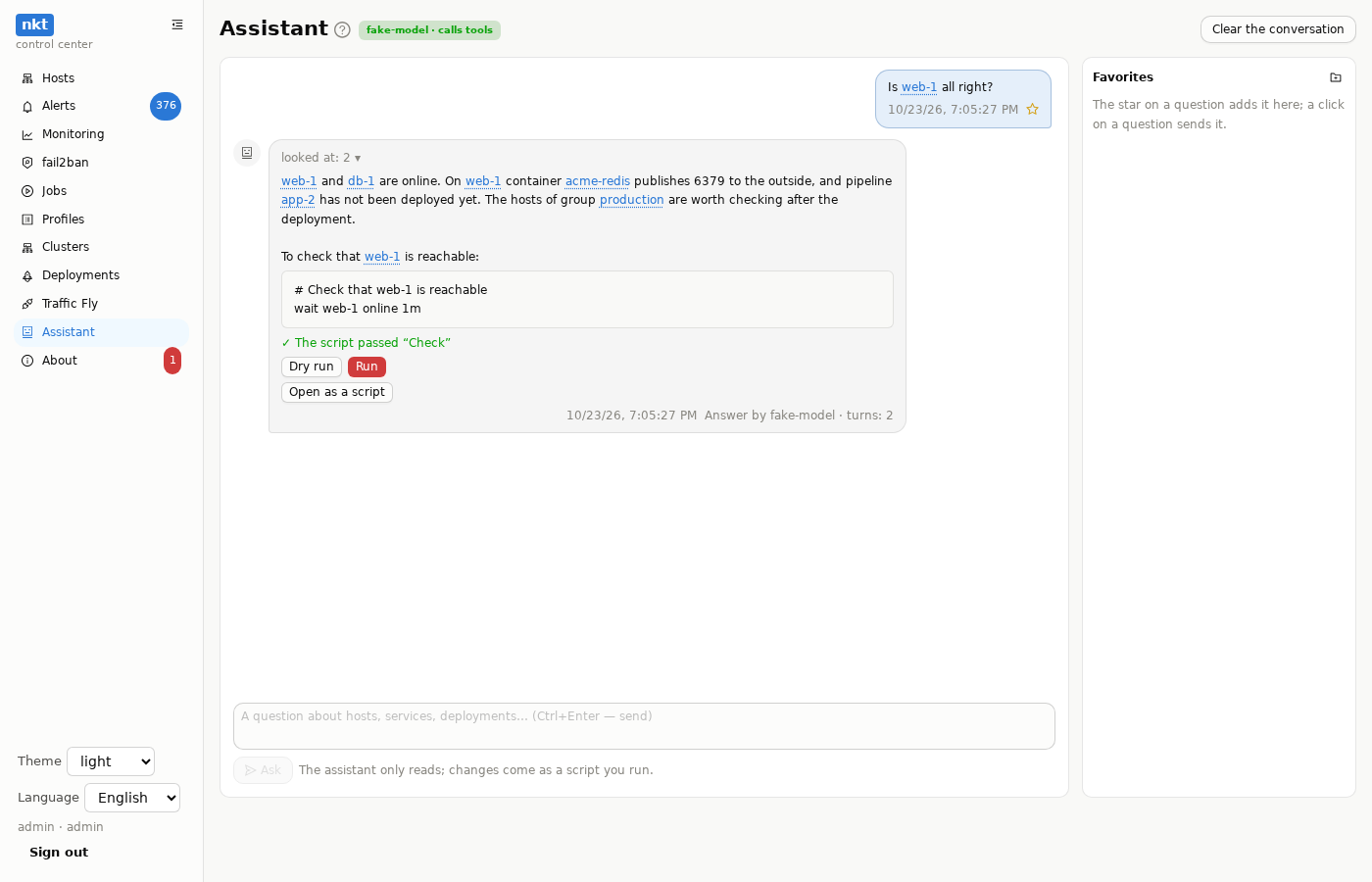
The “Assistant” section in the hub menu (for an admin) is a conversation with the model about your fleet: “which critical findings are there and where do I start”, “why did the last job fail”, “which stacks can move off the busy host”. The model is the same as for finding analysis: set up in “About”; without it the section points to where to turn it on.
How it answers
The assistant doesn't guess: it looks at the hub's data itself — the host list, a host's findings, services and containers, alerts, jobs and their logs, pipelines, scripts, moves, clusters, the Traffic Fly map and state. The answer has a line “looked at: N ▾”: a click unfolds what exactly (list_hosts, host_findings host_id=1 …); a red tag is a call that failed.
- Read only and with your rights: each look is the same request the interface makes when you open the section.
- Addresses and names are hidden, as everywhere in the hub's AI (the “hide addresses and names” box): the model sees
host-1,ip-2, the answer shows the real names again. Passwords, keys and tokens are always cut out. - One question takes up to 10 model requests; each counts against the daily limit.
Changes — as a script
The assistant cannot change anything. When an action is needed, it sends a script (an nkt block): the hub runs it through “Check” right away; on errors it sends them back to the model once, and the model fixes the script. Under the block is the result (“passed “Check””, after a fix — “the model fixed it after the check errors”) or the remaining errors by line, and “Open as a script”: “Profiles” → “Scripts” opens with that text, then “Check”, a dry run and the run — by you. A stack move (migrate) and a deployment (deploy) come the same way.
The assistant brings a stopped container back with start, not up: a pipeline's stack — deploy PIPELINE start (the same version, missing images with the pipeline's registry key), any other — docker stack PATH start (no registry). A script with docker stack … up on a pipeline's stack goes back to the model from “Check” to be fixed. It doesn't offer on its own to start a deployment tagged “stopped” — it was stopped on purpose.
Running from the answer
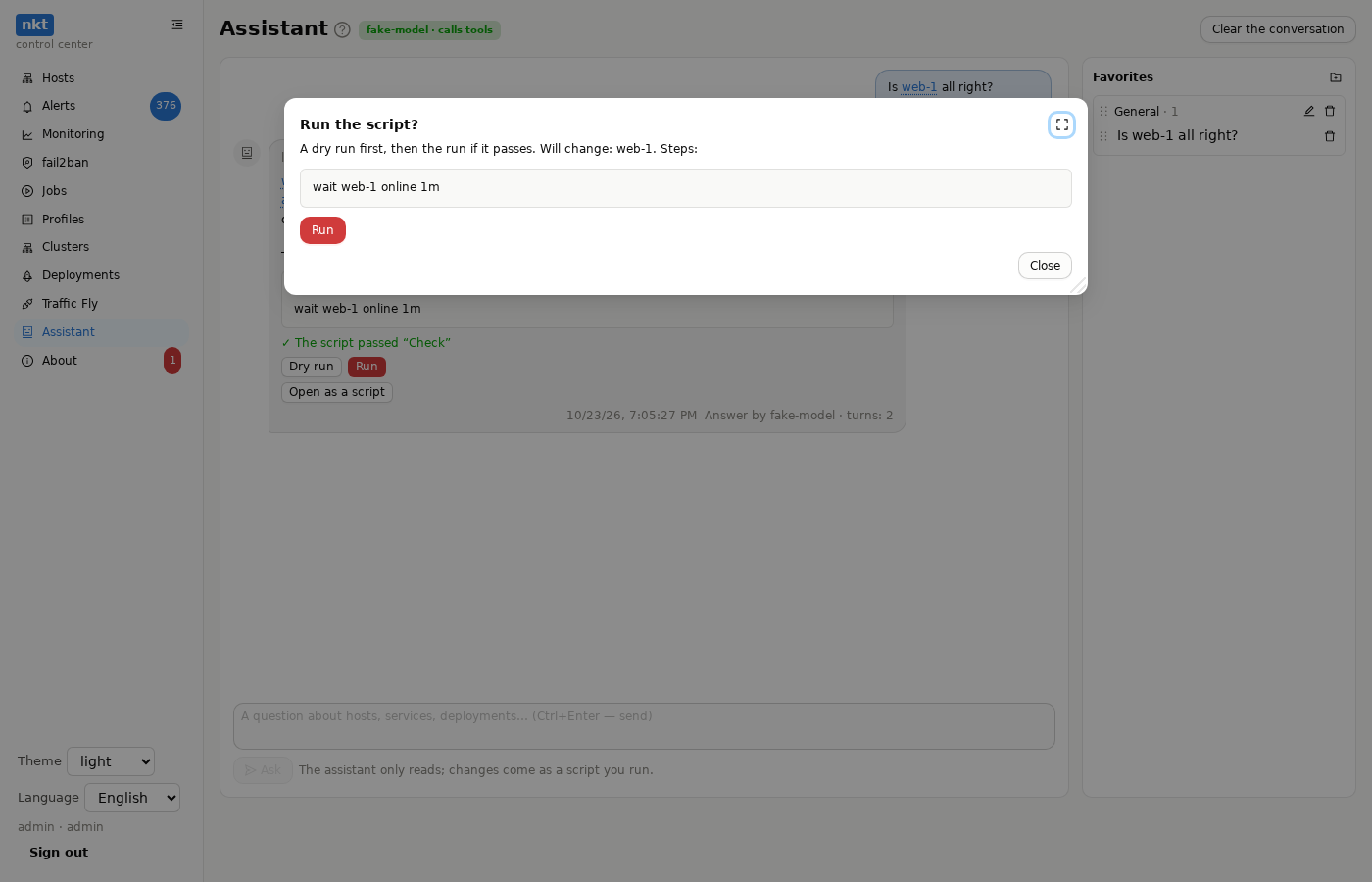
Under a script that passed “Check”, an admin gets “Dry run” and “Run”. Each opens a job window:
- the window shows what the script will do (hosts and steps) and fields if it asks for something (a password, a parameter); you start it with a button in the window;
- the script is saved by itself (a Latin name
ai-DATE-HOST, the note “Suggested by the assistant: …”, an “AI” tag in “Scripts”); - “Dry run” asks the hosts for plans and changes nothing; the window stays open — the result is there to read;
- “Run” is one job: a dry run, and if it passes — the run right away. If the dry run fails, the hosts aren't touched. If it succeeds, the window closes by itself after a couple of seconds, and the message keeps a line “✓ dry run → run · done · log”: it opens the window again. If it fails, the window stays with the error.
The window shows the progress and the log, “Open the job” shows the whole log. “Ask the assistant about the result” adds the outcome and the log to the conversation: the assistant analyses what happened and, if needed, suggests a fixed script. The hub holds the chain: a closed tab doesn't stop it.
The assistant itself still runs nothing: you run it, after a confirmation; each run is an ordinary hub job with an author and an audit log entry. The same buttons and window are under the fix script in finding analysis.
Names as links
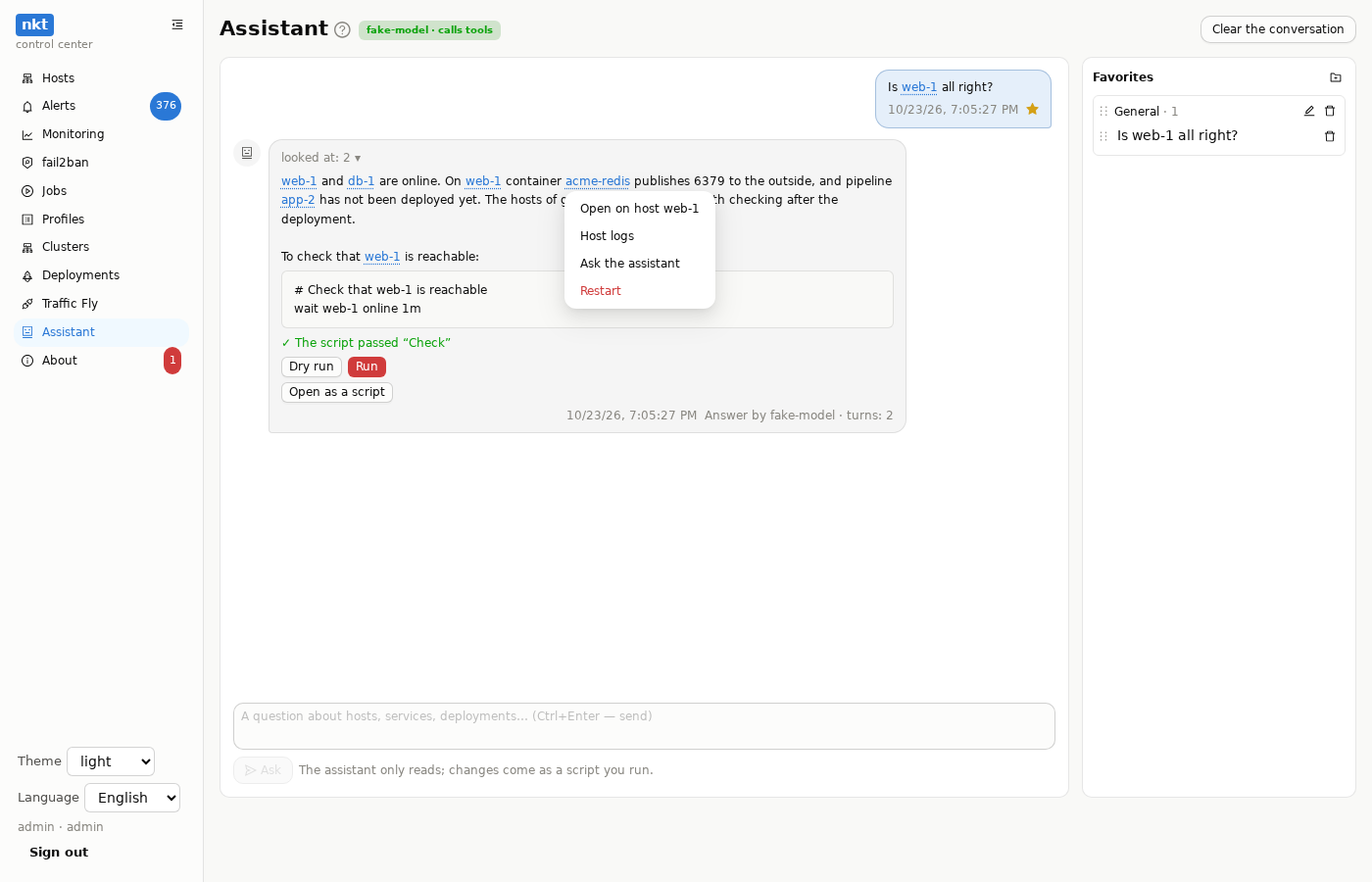
Names of hosts, groups, pipelines, scripts, clusters and Traffic Fly routes in messages are links; containers and services too, if the assistant read them. A click opens a menu by the object's kind:
- host — open, findings, containers, services, “ask: check host …”;
- container and service — open on the host (the row is highlighted), host logs, ask the assistant, restart;
- pipeline — open in “Deployments”, dry run, deploy, start or stop (with the same two confirmations as in “Deployments”);
- script, cluster, route, group — open in its section.
Changing actions are for an admin only, with a confirmation, through the same calls as the section buttons; the job opens in a log window.
Favorites
The star on your question adds it to “Favorites” on the right. Favorites are split into sections: “New section”, rename, delete. Questions and sections are dragged — the order and moving between sections. A click on a question sends it to the assistant. Favorites are kept on the hub, each user's own — visible from any browser and carried by the hub export together with the user account.
Hints while typing
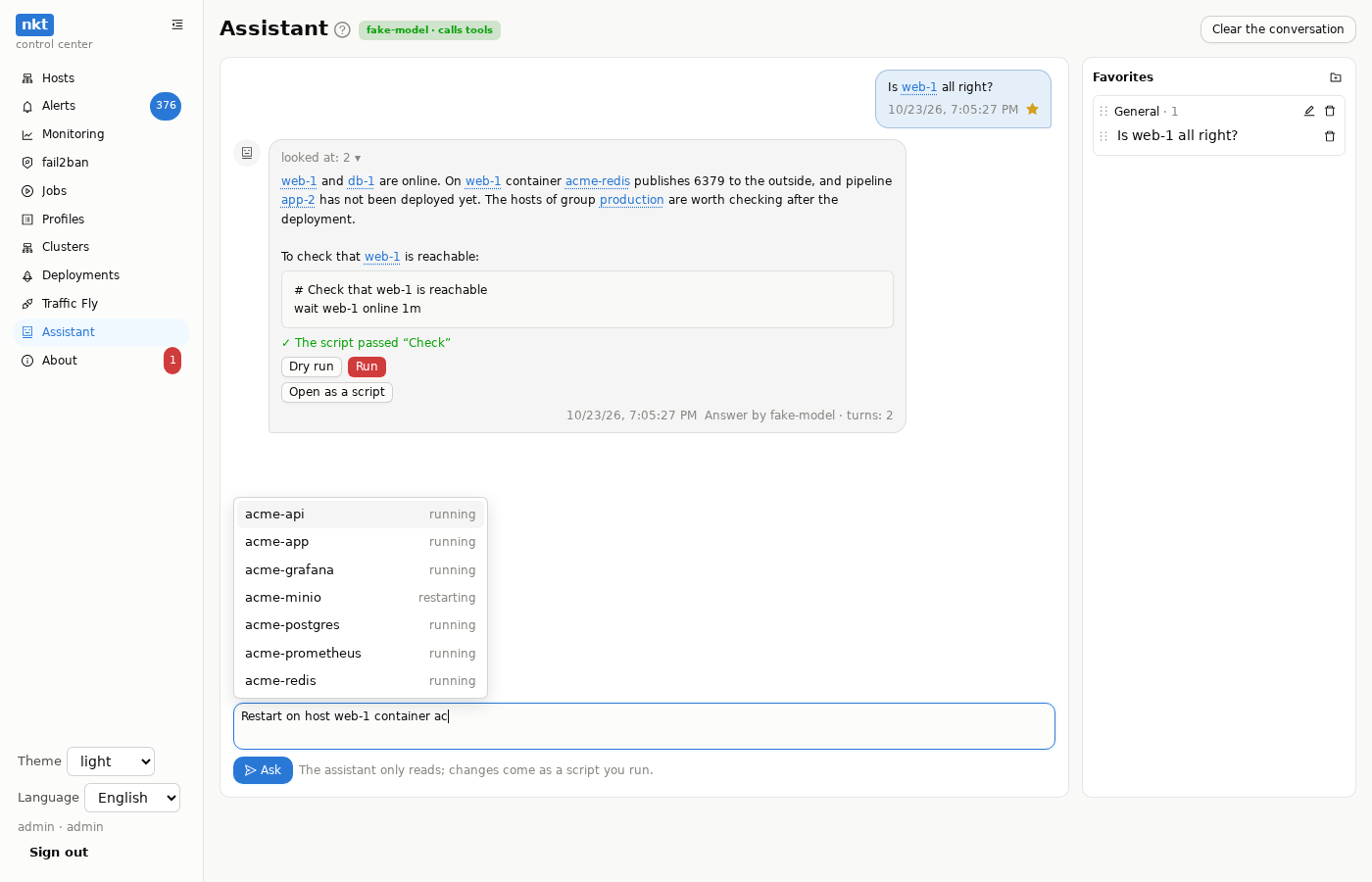
A kind word and a space after it open a list: “host” — hosts with their state (the first item is “all hosts”), “container”, “service” — what is on the host named last in the question, “pipeline”, “script”, “cluster”, “route”, “group” — their own lists; “@” — everything at once, with a search. Arrows and Enter (or Tab) pick, Esc closes. The picked name is inserted and becomes a link in the sent question.
Example
Question: “Which critical findings are on the hosts now and where do I start?”
The answer has “looked at: 3 ▾”, unfolded:
list_hosts host_findings host_id=1 list_alerts after=0The answer:
web-1 has 5 critical and 24 high findings right now. The main ones:
- Container acme-redis publishes port 6379 on 0.0.0.0, bypassing the firewall
- Redis is listening on port 6379 on all interfaces
- Certificate api.example.com expired

Start with Redis: port 6379 is open to the outside. Close it:
# Redis on web-1: close 6379 from outside
on web-1 firewall deny 6379/tcpUnder the block — “Open as a script” and “The script from the answer passed “Check””. Then “Dry run” and “Run” in “Scripts”.
More questions the assistant answers from the hub's data: “why did the last job fail and what do I do?” (reads the job and its log), “which stacks can move off the busiest host?” (hosts, containers, moves — the answer is a script with migrate), “what's wrong with Traffic Fly?” (the map and target state).
Assistant or MCP
| Assistant | MCP | |
|---|---|---|
| Who asks | an admin in the hub interface | an external agent (Claude Code, Cursor…) |
| Access | the asker's rights | the API token's rights |
| Actions | none — only a script from the answer that you run (Run) | with an admin token — right away, without confirmation; with a token by permission — only the allowed ones, within limits |
| Model | the one set in “About” | the agent's model |
Over the API: POST /api/hub/assistant with {"messages":[{"role":"user","text":"…"}]} (the whole conversation, the last message is the question) → answer, steps (what it looked at), script and issues (a script in the answer and the “Check” result).
A model without tools
Local models can't always call tools. If the provider refuses such a request — at once or on the request with the tools' results — the assistant answers from a snapshot: the request carries the hosts, recent alerts, pipelines and moves, and the answer gets a “from a snapshot” tag and the provider's answer (why tools didn't work). If the snapshot answer fails too, the error names both reasons. In this mode the model doesn't see host details (findings, services).
The conversation
The conversation is a chat: your questions on the right, answers on the left, each with its time; what the assistant looked at is folded into a “looked at: N ▾” line. It lives in the browser tab while it is open; “Clear the conversation” (with a confirmation) starts over, favorites stay. Ctrl+Enter sends. Every question goes to the audit log (ai.assistant).
An external agent (Claude Code, Cursor) gets the same data — and actions, with an admin token or one by permission — through MCP.