
Plugin: Yandex Cloud
The cloud from the nkt hub: VMs, disks and snapshots, security groups, Object Storage, Cloud DNS, managed PostgreSQL and MySQL, balance. A VM can also be added as an nkt host — with findings and actions.
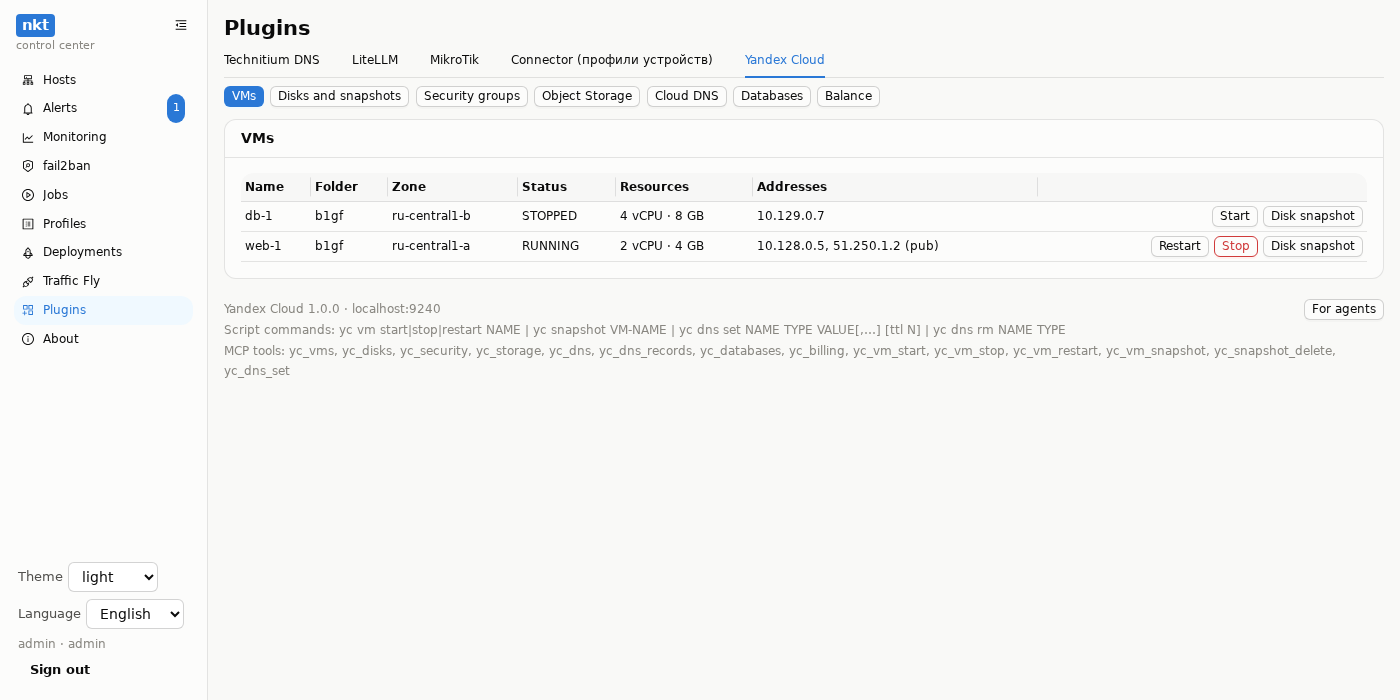
| Section | What |
|---|---|
| VMs | folder, zone, status, resources, addresses; start, stop, restart, boot disk snapshot |
| Disks and snapshots | what they're attached to; a snapshot of any disk; delete a snapshot |
| Security groups | ingress rules open to the whole internet (0.0.0.0/0); risky ports (22, 3389, databases) — ⚠ |
| Object Storage | buckets: public or not (read, list) and size |
| Cloud DNS | zones and records; for the hub — provides: dns: Traffic Fly names, sites, autonames (other values at the same names aren't touched) |
| Databases | Managed PostgreSQL and MySQL: environment, status, health |
| Balance | of the billing account (if set) |
A VM as an nkt host: Hosts → Add a device → “Yandex Cloud VM” → the VM name. Findings: the VM is stopped, preemptible, port 22/3389/a database is open to the whole internet, a public address without security groups, the boot disk has no snapshot in 7 days. The configuration (resources, platform, disks, groups, labels, metadata key names — without values) is kept in versions with a diff.
Scripts: yc vm start|stop|restart NAME, yc snapshot VM-NAME, yc dns set NAME TYPE VALUE[,…] [ttl N], yc dns rm NAME TYPE. MCP: yc_*.
Access
yc iam service-account create --name nkt
yc resource-manager folder add-access-binding <folder> --role viewer --service-account-name nkt   # view
yc resource-manager folder add-access-binding <folder> --role editor --service-account-name nkt   # and manage
yc iam key create --service-account-name nkt -o key.json
base64 -w0 key.json
DNS needs just dns.editor, the balance — billing.accounts.viewer on the billing account. The fewer roles the better: viewer — view only.
Install
About → Plugins → Install on a host → Yandex Cloud — the hub machine or any host with internet access (needs openssl: the plugin signs the login JWT with it). Settings: the key (the base64 line from base64 -w0 key.json, a secret), folders (ids, comma-separated), the billing account (optional). Service nkt-plugin-yc, 127.0.0.1:9240.
The key is kept only in the service's settings (0600) on its host; the IAM token — in the plugin's memory, for at most an hour.
Testing
python3 -I examples/yandex-cloud/deploy/test_plugin.py — the plugin against a fake Yandex Cloud API; the JWT signature (PS256) is verified by the real openssl with the public key. go test ./examples runs it too.