
Technitium DNS plugin
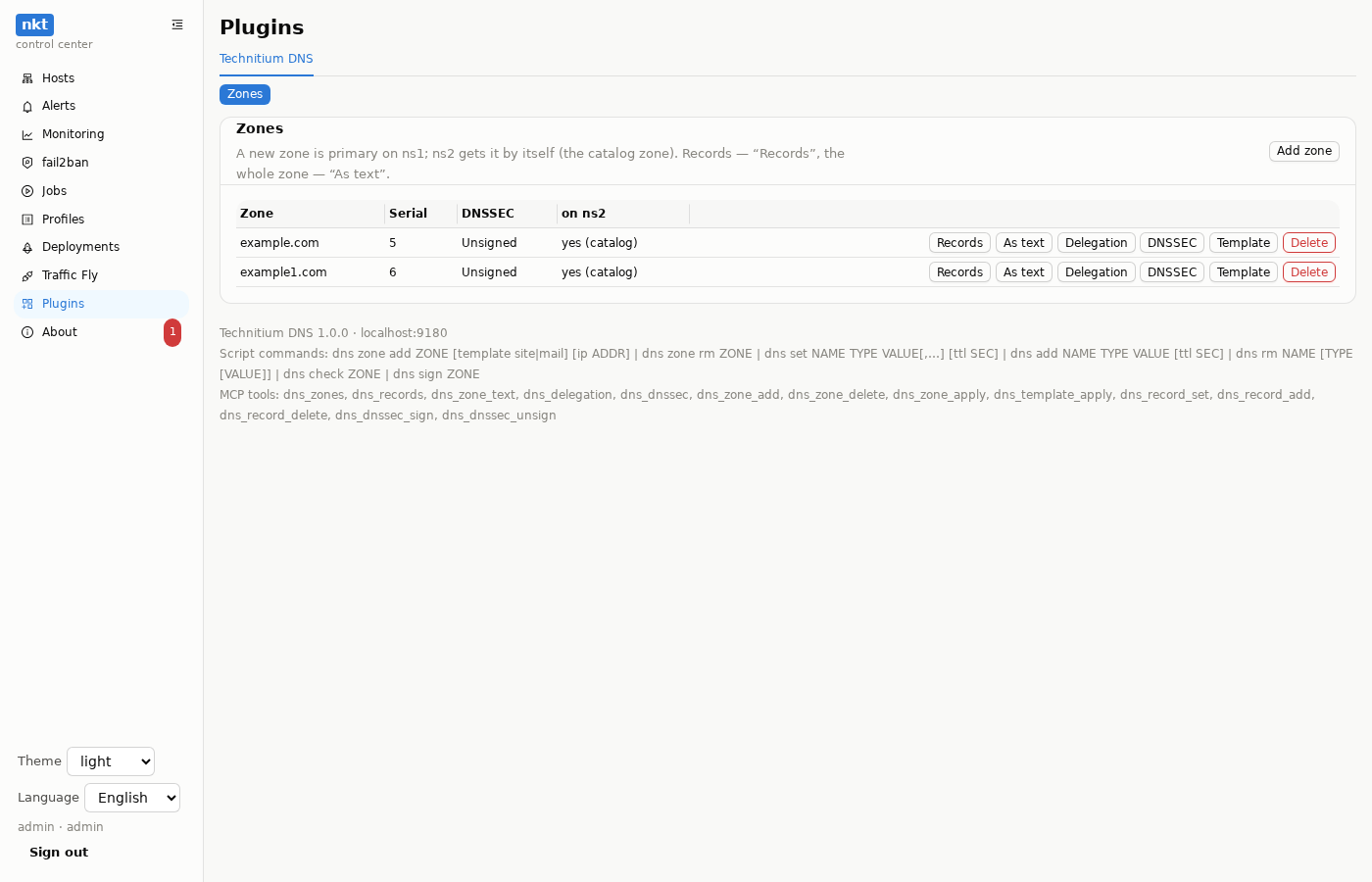
Your domains on your own name servers, managed from the hub: zones example.com, example1.com… are created and edited in the Plugins section, with script commands and by agents over MCP. The servers are the Technitium DNS stack from the pipeline examples: ns1 (primary) and ns2 (secondary) on different hosts. The plugin is the plugin service of the same stack; how plugins work in general — Plugins.
Without the plugin the hub works as before: Traffic Fly, sites and deployments don't touch DNS.
Deploy and connect
- Deployments → New pipeline → Examples → Technitium DNS Server on the ns1 host; the second pipeline —
pipeline.secondary.yamlon ns2. Details — the example's README. The plugin is already in the description: thepluginservice,nkt-plugin.pyinfiles:andNKT_PLUGIN_SECRET: generate:hex32. - About → Plugins → Connect → From a pipeline → the Technitium pipeline → Check → Connect.
- In the hub menu — Plugins → Technitium DNS: zones, records, delegation, DNSSEC.
Technitium already runs — a plugin for it, no move
A native install (install.sh, the dns service) or your own compose — Technitium itself isn't touched, the plugin is installed next to it as a service:
- An API token in the Technitium console: Administration → Users → a user
nktin the DNS Administrators group (zones and DNS settings, no user management) → Sessions → Create Token as that user. The plugin doesn't need the admin password. - About → Plugins → Install on a host → Technitium DNS, the host with Technitium, the token; the server names (ns1, ns2) — for the delegation check and the NS of new zones.
- The job installs the plugin as the
nkt-plugin-dnsservice and connects it — Plugins → Technitium DNS appears in the menu.
The secondary gets new zones the way it does now (transfer, a catalog or a Technitium cluster) — the plugin doesn't interfere. No plugin is needed on the secondary.
Or move Technitium into the nkt stack
Move it into the nkt stack on the same host without losing zones, records and keys: a backup from the old console (Settings → Backup Settings) → /srv/compose/technitium/import/backup.zip → IMPORT_BACKUP: /import/backup.zip in the pipeline → a script “stop the dns service → deploy”. dns-init restores the backup onto the empty server, keeps the TSIG keys from it as they were (ns2 keeps transferring zones), accounts — only with IMPORT_AUTH. Rollback — Stop the deployment and enable the dns service again. Step by step, with the host resolver, ns2 and rollback — §9 of the example's README.
Several domains
Each domain is its own zone. Add zone (or dns zone add … in a script):
- the zone is created as primary on ns1 and becomes a member of the catalog zone (
catalog.nkt.invalid, RFC 9432): ns2 gets it by itself — no need to set it up on the second server; - the zone's NS are ns1 and ns2;
- an optional template: site (
@andwwwat the address) or mail (MX, SPF, DMARC,mailat the address).
Then at the domain registrar:
- NS —
ns1.example.comandns2.example.com(your servers' names); - if the name servers are inside the same domain — glue records (their addresses);
- the zone's Delegation shows what to set and what public resolvers (Cloudflare, Google) already see: “delegated”, “different NS”, “the zone isn't visible”.
Create all the domain's records (A, MX, TXT…) first, then change the NS at the registrar: that way the site and mail don't drop out during the move.
Records
- Records — a table: name, TTL, type, value; “Add record” and “Delete” on a row.
- As text — the whole zone as lines
NAME TTL TYPE VALUE(@is the zone itself) in the edit window with a diff before writing and a version history on the hub. The plugin compares the text with the zone and changes only the difference; SOA, DNSSEC and app records (Failover) aren't shown in the text and aren't touched. - Types: A, AAAA, CNAME, NS, MX, TXT, SRV, CAA, PTR, ANAME.
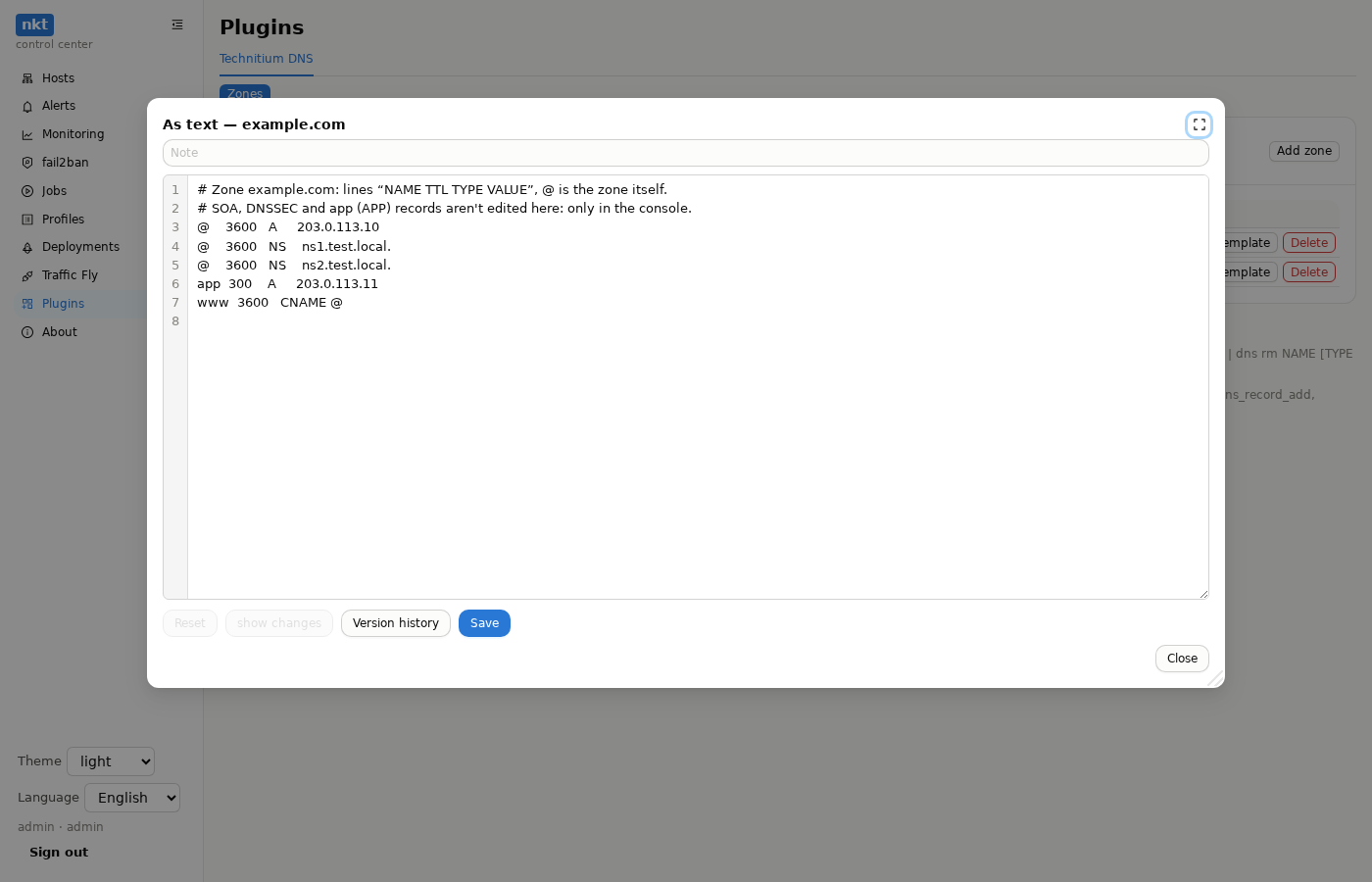
@        3600   A     203.0.113.10
@        3600   MX    10 mail
@        3600   TXT   "v=spf1 mx -all"
mail     300    A     203.0.113.20
www      3600   CNAME @
_sip._tcp 3600  SRV   10 5 5060 sip.example.com.
DNSSEC
A zone's DNSSEC — sign it (ECDSA P-256, keys and their rollover are Technitium's) and the DS records for the registrar. To remove the signing, remove the DS at the registrar first.
Scripts
dns zone add example.com template site ip 203.0.113.10
dns set app.example.com A 203.0.113.10,203.0.113.11 ttl 300
dns add example.com TXT "google-site-verification=…"
dns rm old.example.com
dns check example.com
dns sign example.com
dns zone rm test.example.orgset— exactly these values of the type for the name (adds missing ones, removes other values of that type);add— one value next to the existing ones;rm— all of the name's records, one type or one value.- Check parses the commands with the plugin; a dry run shows what would change (
+/-) without changing anything.
MCP
Agent tools: dns_zones, dns_records, dns_zone_text, dns_delegation, dns_dnssec (read) and dns_zone_add, dns_zone_delete, dns_zone_apply, dns_template_apply, dns_record_set, dns_record_add, dns_record_delete, dns_dnssec_sign, dns_dnssec_unsign — for an administrator or a token by permission with the “plugin dns” action. An example request: “create zone example1.com with a site at 203.0.113.10 and check the delegation”.
For the hub: Traffic Fly, sites, host names
The plugin tells the hub it keeps DNS — and the hub sets records itself:
- Traffic Fly — the “DNS through the plugin” box on a route (in a script
fly route … dns plugin, in a pipelinedns: pluginin thefly:block): on Apply the route's names get an A record at the gateway address; one name on several gateways — a Failover app record (Technitium answers only with live gateways, a tcp443 check); - a pipeline site —
dns: autoin thesite:block (the host's public address) or a list of addresses: the records are set before the certificate, so certbot finds the name right away; - host autonames — About → Plugins → Host autonames: every hub host and machine gets
<host>.<zone>at the address the hub reaches it by (edited with a diff and history).
The hub remembers what it set for each owner (route, site, host) and on a change also passes the previous state to the plugin: extras are removed, other values at the same name stay. A name outside the plugin's zones is a log line, not an error. “Check” in About shows what would change, “Apply” brings the records in line; the check also runs by itself every 10 minutes (a host address changed, the plugin was unavailable).
Upgrading an existing installation
The catalog zone appeared in this version of the example:
- primary: deploy its pipeline again —
dns-initcreates the catalog zone and adds the zones fromZONESto it; - secondary: deploy its pipeline again —
dns-initsets up the secondary catalog zone. Secondary zones created by hand earlier stay as they are; to let the catalog manage them, delete them in the ns2 console — the catalog creates them again within seconds.